Permanent Installations · Unattended Kiosks · Remote Monitoring

Permanent Interactive Kiosks and Installations, Monitored Remotely

A screen that stays in a venue has to run when nobody from the build team is in the room. PivotXP's local, in-house developers write the kiosk app, lock the hardware down so it restarts itself, and set up remote monitoring so every screen can be seen, reloaded or restarted from anywhere. Content is swapped from a content manager and every tap is measured. It is the same engineering we put on a 98-inch touch tower for Microsoft and an outdoor touchscreen for Polaris.

Every 15 sec
Each Microsoft Copilot screen checked in with a live thumbnail
4,709 sessions
Automated burn-in before doors, without a single error
831,506 seconds
Watched on Polaris' outdoor touchscreen, measured per tap
No developer on site
Polaris content swapped from a content manager
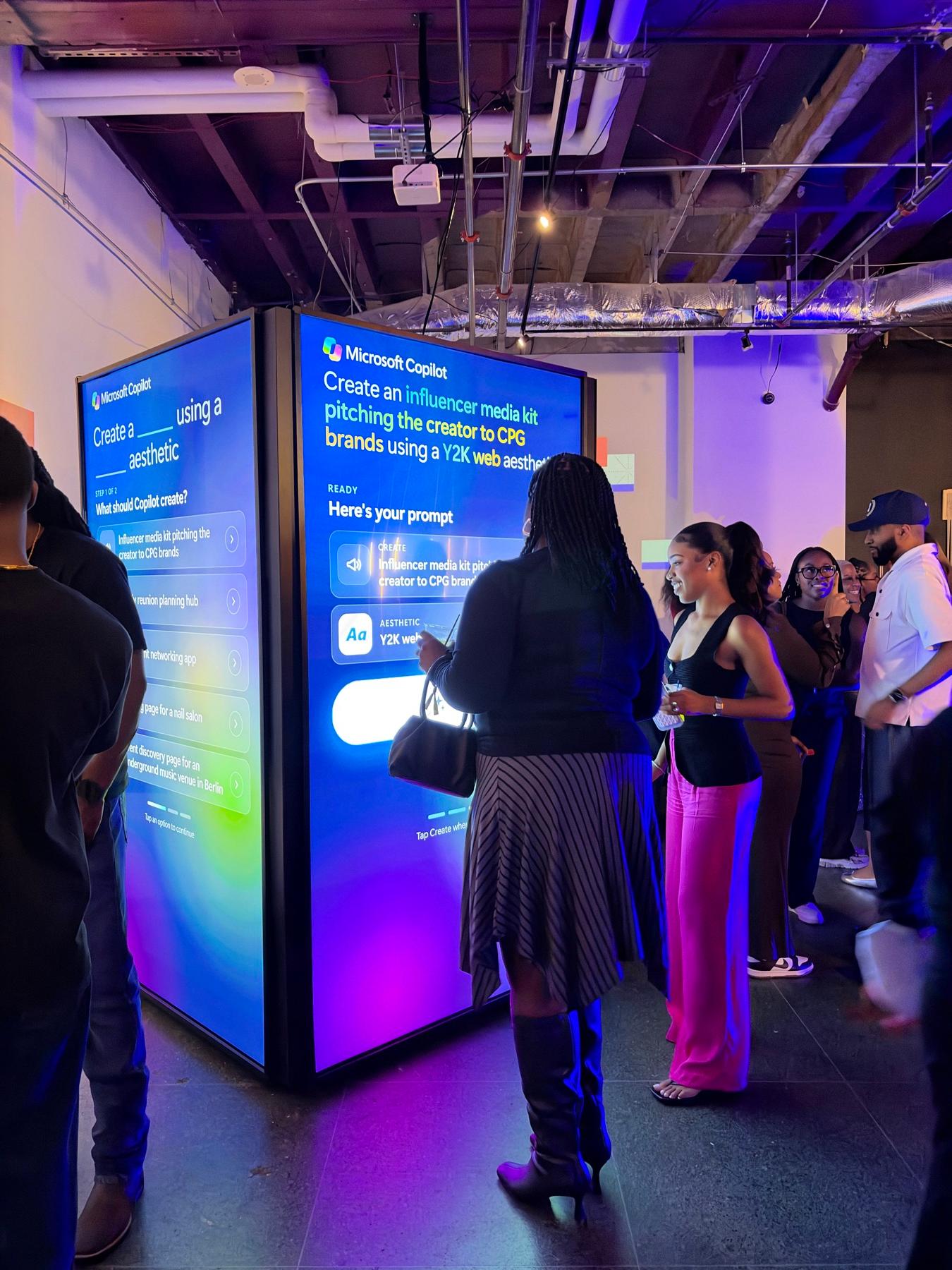
Four-sided tower of 98-inch portrait touchscreens built for Microsoft Copilot at AfroTech in Houston

What we built, with the numbers

Kiosks we have built to run on their own

These are event and touring builds. The parts a permanent install depends on are the same: lockdown, self-recovery, remote monitoring, content swaps and analytics. Numbers are each case study's own.

Microsoft Copilot at AfroTech: A Four-Screen 98-Inch Touch Tower Where Guests Told Copilot What to Create

Microsoft

Build 01 · Houston, TX

Microsoft Copilot at AfroTech: A Four-Screen 98-Inch Touch Tower Where Guests Told Copilot What to Create

200+
Designs Created (Est.)
25 of 25
Prompt + Look Combinations Played
96%
Videos Watched to the End

Built: A four-sided tower of 98-inch portrait touchscreens for Microsoft Copilot, with Squeak E. Clean Studios. Each face ran its own Windows mini PC with our kiosk app, locked down so it restarts itself if anything closes it and returns to an attract loop when idle. Every screen checked in every 15 seconds with a thumbnail of what it was showing, so we could see all four faces at once and reload, pause or restart any of them remotely. An automated burn-in ran 4,709 full sessions overnight without a single error before the first guest.

Lesson: Monitoring is part of the build, not an add-on. If you cannot see the screen from somewhere else, you find out it is down from a guest.

Read the case study →

Touch to See How Tough Is Tested: Polaris Interactive Display Experience

Polaris

Build 02 · Multi-Venue Tour

Touch to See How Tough Is Tested: Polaris Interactive Display Experience

831,506
Seconds Watched
Custom
Touchscreen UI
On-Demand
Content Library

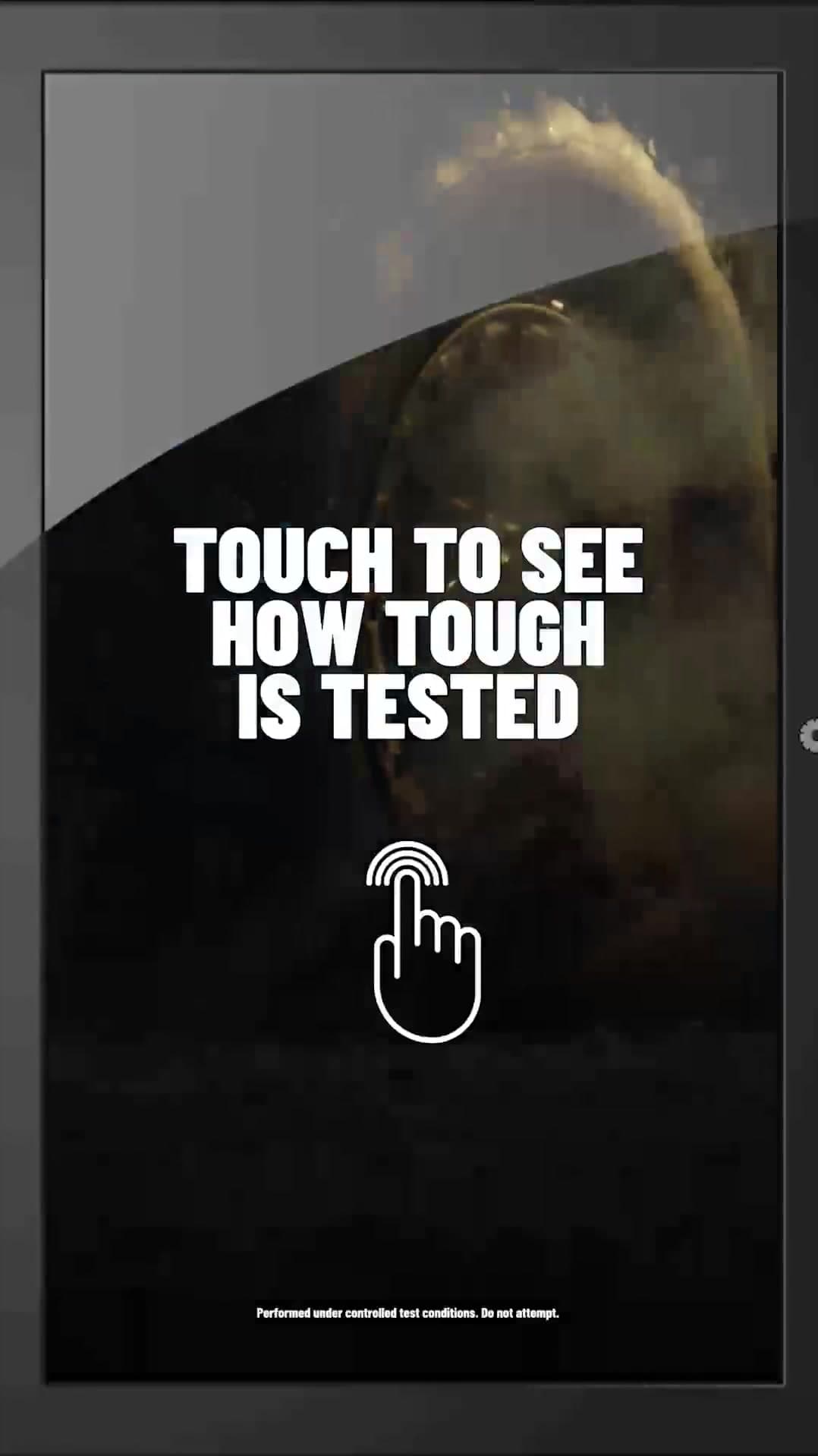
Built: A custom touchscreen app for Polaris on a display built to tour outdoors, running through rain, snow, heat, desert sun, sand and wind next to the vehicles. Every interaction fed an analytics layer, which measured 831,506 seconds of content watched. New videos and messaging went live from a content manager, with no developer on site and no downtime between stops.

Lesson: Content changes more often than software. Give the client's team a way to swap it without calling a developer.

Read the case study →
INIT at APTA TRANSform: Custom Touchscreen Voting Kiosks That Let Attendees Direct a Community Gift

INIT

Build 03 · APTA TRANSform Conference & EXPO · Chicago, IL

INIT at APTA TRANSform: Custom Touchscreen Voting Kiosks That Let Attendees Direct a Community Gift

117
Votes Cast
0
PivotXP Crew On Site
100%
Votes Synced to the Cloud

Built: Custom live polling software on two touchscreen kiosks for INIT in Chicago. The kiosks ran on their own with no PivotXP crew on site, kept working offline, and synced all 117 votes to the cloud within a second of each tap.

Lesson: Offline first. A kiosk that needs the network to take a tap will eventually refuse one.

Read the case study →
Microsoft Paint Photo Studio: Custom Software That Made Paint a Live Event

Microsoft

Build 04 · Vesper · Brooklyn, NY

Microsoft Paint Photo Studio: Custom Software That Made Paint a Live Event

181
Guests Made Art in Paint
255
Photos + Videos Texted
100%
Deliveries Confirmed

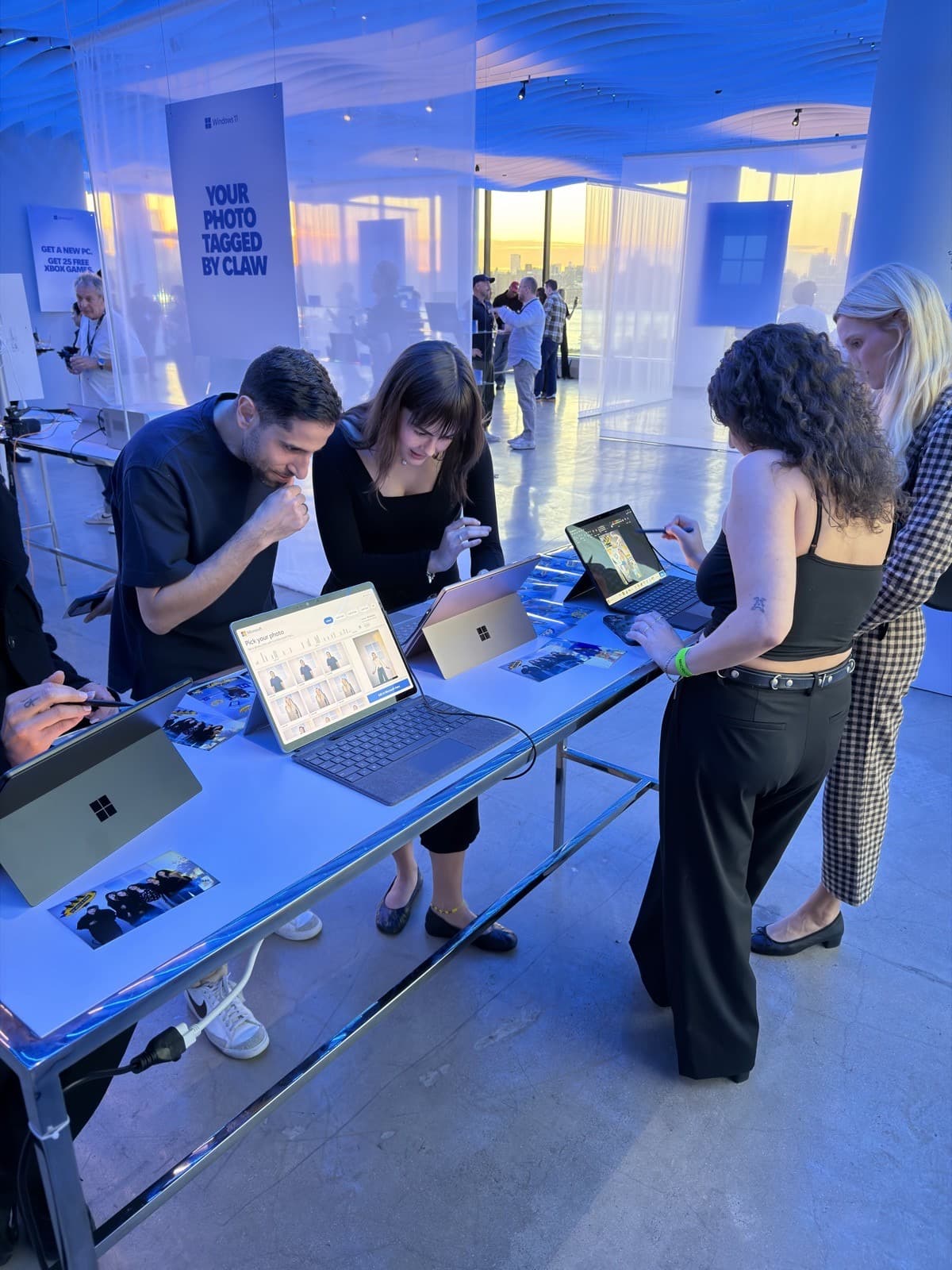
Built: Four Surface Pro stations for Microsoft, with Squeak E. Clean Studios. A one-file setup turned a stock Surface into a station in minutes: it installed our app, registered it to start with Windows and recover by itself, and hardened the device for kiosk use. The operator console showed a live thumbnail of every station, and staff could reset, lock or message one without walking over. A second server kept a copy of every session, ready to take over.

Lesson: Make setup repeatable. The tenth kiosk should install exactly like the first.

Read the case study →

What a permanent install is made of

Every install is custom to your brand guidelines, your content and your space. These are the parts.

A custom kiosk app

Product explorers, games, polls, configurators and guided demos, written for the screen and the audience.

Lockdown and self-recovery

The device boots into the app, guests cannot leave it, and it restarts itself if anything closes it.

Remote monitoring

Screens check in on a schedule with a thumbnail of what they are showing, and can be reloaded or restarted remotely.

Content you can swap

New video, copy and imagery go live from a content manager, without a developer and without taking the screen down.

Analytics on every tap

Sessions, what guests chose, how long they stayed and what they watched to the end, on a live dashboard.

Large-format and outdoor displays

From tablets to 98-inch touchscreens, and displays built to run outdoors next to the product.

What you get

  • The kiosk app, built to your brand guidelines by our in-house developers
  • Touchscreens and PCs specified for the space, burned in before they ship
  • Kiosk lockdown, auto-start and self-restart on every device
  • A monitoring dashboard with live check-ins and remote reload and restart
  • A content manager for your team to update video, copy and imagery
  • An analytics dashboard and exports
  • A repeatable setup, so adding a screen or a site is an install, not a new build

For event and trade show kiosks, see touchscreen demo kiosks. For how purchase, lease and support agreements are structured, see programs. For data handling, see security and operations.

How a build goes

  1. 1. Send the brief

    The venue, how many screens and sites, indoors or out, the content you have, and who will look after it day to day.

  2. 2. Scoped estimate, same day

    A line-item estimate with the software, the hardware, monitoring and support named.

  3. 3. Build and burn in

    We build on the real hardware and run automated sessions against it before anything leaves the shop.

  4. 4. Install

    Our team installs and tests every screen on site, and trains yours on the content manager.

  5. 5. Monitor and support

    Screens check in, we see problems as they happen, and content and software updates go out remotely.

No templates. Ever.

Every deployment is a custom build for your company.
Your brand guidelines, not ours.

Nothing we ship is a product with your logo dropped on it. Each program is designed and built from scratch for the brand running it, by our own local, in-house developers (nothing outsourced, nothing offshore), to the brand guidelines your marketing team already enforces. Your typefaces, your colors, your motion, your tone, your legal lines. Ours never appear.

Bring the brand guidelines to the kickoff call. No formal guidelines yet? We work from your logo files and website and send a style sheet for sign-off before the build starts.

Your typography and color system

We build to the brand book: approved typefaces, exact color values, logo clear space, and lockups. No near-miss colors, no fallback fonts.

Your voice on every screen

Start screens, prompts, consent language, share pages, and texts are written in your tone, then approved by your team before anything ships.

Your motion and sound

Transitions, idle loops, win states, and audio follow your motion and sound rules, or stay quiet if the brand says so.

Your legal and compliance lines

Official rules, disclaimers, age gates, and opt-in copy placed where your counsel wants them, word for word.

Your look on the hardware

Wraps, enclosures, and fabrication finished in the brand palette and materials. Nothing on the floor says PivotXP.

Your sign-off before it ships

You review a working build, not a mockup, and approve it against your guidelines before it goes on a truck.

Proof, not promises

The case studies

A 98-inch touch tower we could see and restart from anywhere, an outdoor touchscreen with swappable content, and kiosks that ran with no crew on site.

All case studies

What’s on the quote

What's on a permanent install quote.

No mystery line items. A permanent install is a program with no end date, and every estimate is built from this list.

Every estimate is built from these same lines, so nothing shows up on the quote that you have not seen here. Send dates, city, and what you need and you will have a line-item estimate the same business day.

Kiosk software

One fixed build fee for the app, built to your brand guidelines.

Kiosk hardware

Touchscreens, PCs and mounts, itemized, as a purchase or a long-term lease.

Software license and hosting

The app, the content manager and the analytics dashboard.

Remote monitoring

Live check-ins and remote reload and restart for every screen.

Content swaps

Done by your team in the content manager, or by ours.

Support

A support subscription with a written SLA.

Install and travel

Quoted per site; travel billed at cost.

How custom builds are quoted

What a custom build quote contains.

A custom interactive is a software product with hardware attached, and the quote reads that way: a fixed price for the scoped build, hardware itemized as pass-through, and the deployment, support, and change-order terms written down before anyone starts.

Nine lines, always in this order, so you can compare two of our quotes against each other and never against a booth rental. Send the concept deck and a budget bracket and the first version comes back the same business day.

1. Discovery and experience design

The brief becomes a build spec: guest flow, screens, scoring or capture logic, data fields, and the hardware list. Waived on returning accounts, but it always appears.

2. Software build

One fixed fee for the scoped build, with the complexity tier named: a new skin on an existing engine, a new interaction with data capture, or a multi-mode build with sensors, AI, or integrations.

3. Hardware

Itemized as pass-through: screens, kiosks, readers, sensors, printers, cases. Your team or your fabricator can supply any of it.

4. Deployment, burn-in, and configuration

Kiosk prep, pre-ship test, and the burn-in run on the real program before it leaves.

5. On-site technician days and travel

Priced per tech per day at one rate for every client; travel at cost with a range quoted up front.

6. Shipping and road cases

Round trip, parcel or freight, with return labels.

7. Post-event support window

Remote support for a set window after the event, with an optional hosting and support subscription for programs that keep running.

8. Change orders and rush terms

Written before the work, at a rate printed in the contract. Nothing is "not a problem" without a line, even when that line is waived.

9. Contingency

Added when your procurement matrix asks for one, shown as its own line.

Lead times

How much runway each kind of project needs.

Kiosk or Starlink rental

Ships the next business day after the contract is signed, timed to arrive before your setup date.

Brand an existing kiosk

Days once your art arrives. Wrap art, overlays, share page, and AI creative. Art specs sent at kickoff.

Custom software build

Days for a proven format, a few weeks for something new. Local, in-house developers, never outsourced, scenario-tested before it ships.

Hardware + software concept

Weeks, not months. Software and sensor integration in house; fabrication gets a real date at the quote stage.

Clickable prototype for a pitch

Days. Enough to win the room before anything is built.

Tight timeline? Say so on the form. Rentals and returning programs move in days; we will tell you honestly what a new build can hit.

FAQ

Does PivotXP build permanent interactive kiosks?+

Yes. PivotXP builds custom kiosk software and hardware for venues, and has delivered kiosk and software packages as an outright purchase for venues that wanted to own the experience. A permanent install is structured as a purchase or long-term lease of the hardware, a software license, hosting, remote monitoring, content swaps and a support subscription with a written SLA.

How do you monitor kiosks remotely?+

Each screen checks in on a schedule with a thumbnail of what it is showing, and can be reloaded, paused or restarted remotely. On the Microsoft Copilot tower, all four 98-inch screens checked in every 15 seconds and every tap went to a live analytics dashboard.

What happens if the app crashes or the PC restarts?+

The device is locked down as a kiosk that starts the app with the operating system and restarts it if anything closes it. Guests never see a desktop. When nobody is using a screen it returns to an attract loop.

Can the kiosks run without staff?+

Yes. INIT's voting kiosks ran on their own with no PivotXP crew on site, kept working offline, and synced every vote to the cloud within a second of each tap.

Can it run outdoors?+

Yes. The Polaris touchscreen was built to tour outdoors and ran through rain, snow, heat, desert sun, sand and wind. Tell us the site and we will specify the display for it.

Can our team update the content?+

Yes. Video, copy and imagery are swapped from a content manager with no developer involved and no downtime, as Polaris did between tour stops.

How large can the screens be?+

From tablets to 98-inch touchscreens. The Microsoft Copilot build used four 98-inch portrait screens with infrared touch frames, with the interface laid out so every control sat within reach.

What reporting do we get?+

Every tap is tracked: sessions, choices, time spent and what guests watched to the end. Polaris' 831,506 seconds watched is a measured number from that analytics layer, not an estimate.

Do you test before installing?+

Yes. We build on the real hardware and run automated sessions against it. Before the Microsoft tower opened, a burn-in tapped through 4,709 full sessions overnight without a single error.

How long does a permanent install take?+

Weeks, not months, because our developers are in house and proven kiosk formats go live in days. Send the venue, the screen count and the dates and we will tell you what fits.

Planning a kiosk that has to stay up? Send the brief.

The venue, the number of screens and sites, indoors or out, and the content. You will have a scoped, line-item estimate the same business day.