
Microsoft Paint Photo Studio: Custom Software That Made Paint a Live Event
181
Guests Made Art in Paint
255
Photos + Videos Texted
100%
Deliveries Confirmed
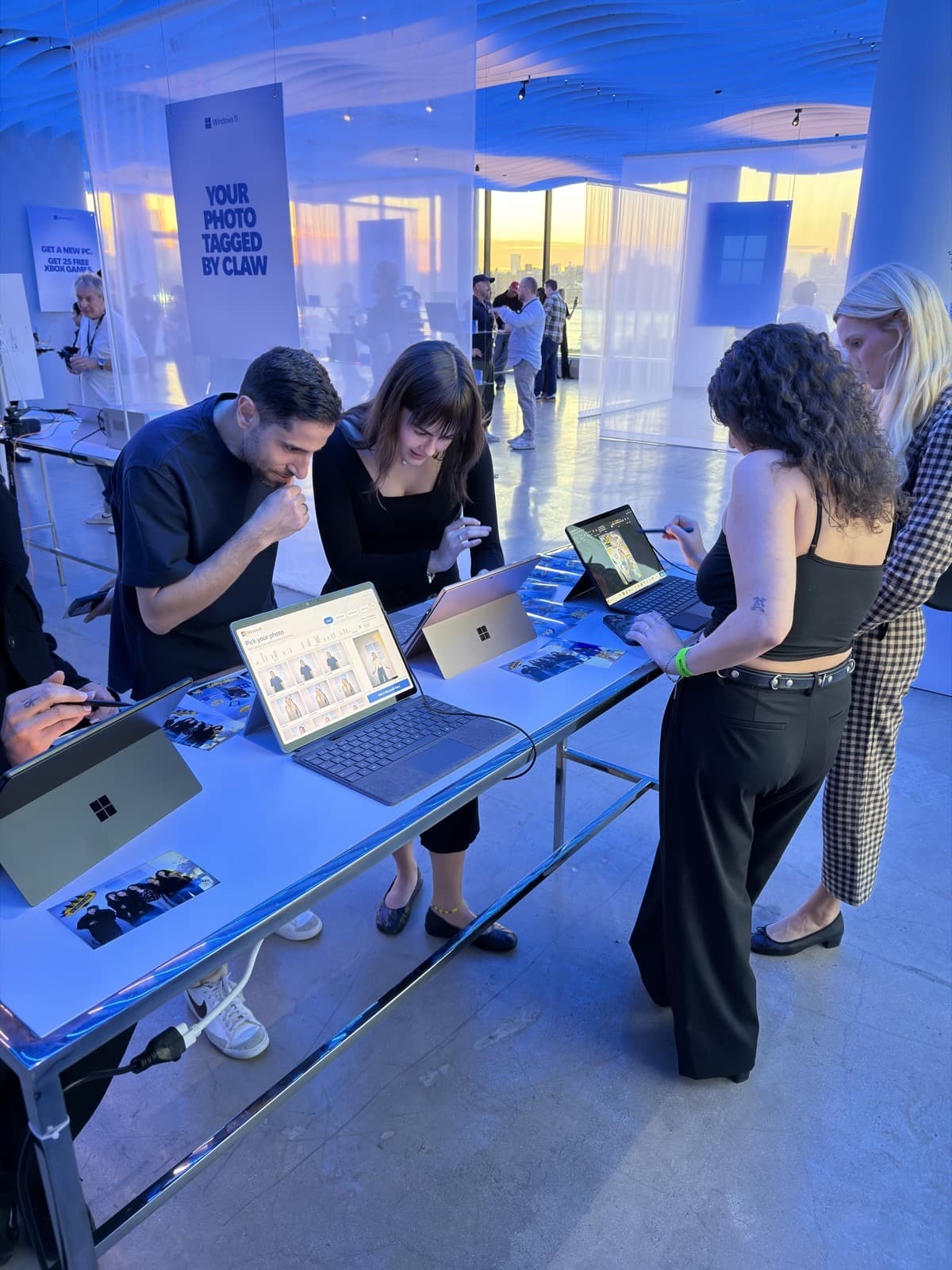
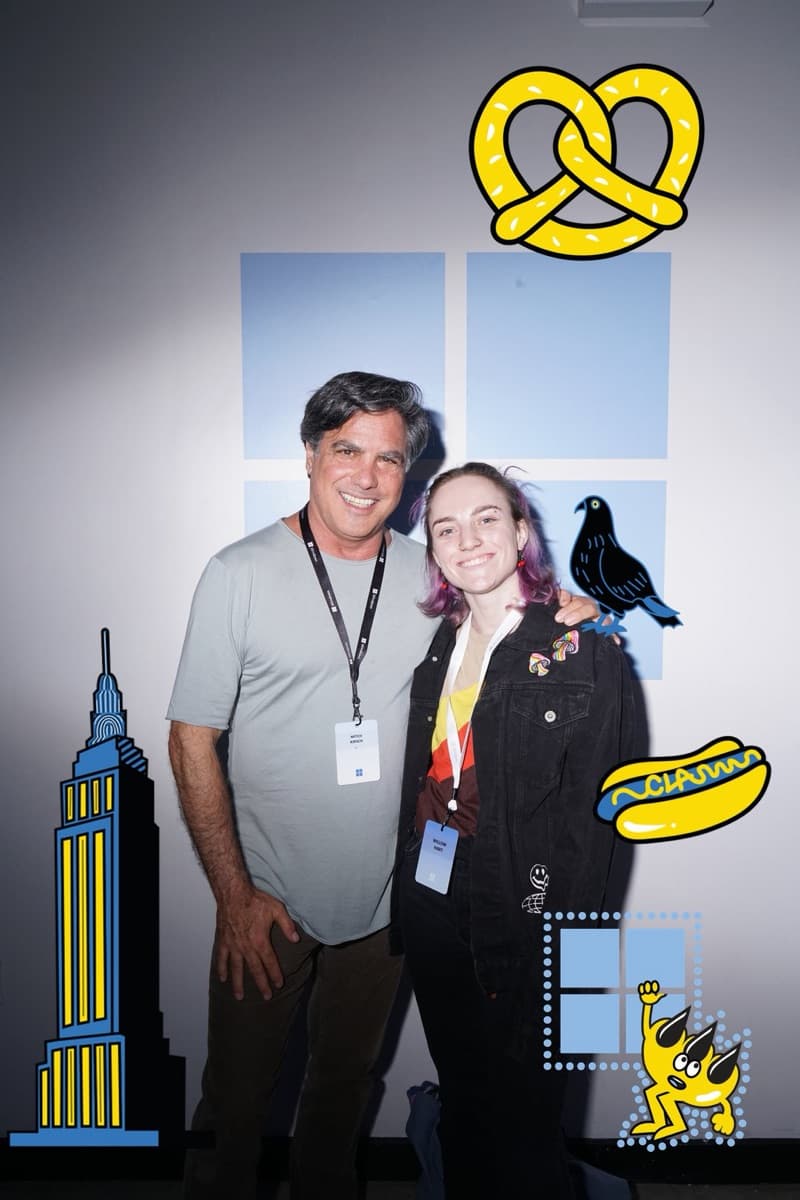
For a one-day Microsoft event at Vesper in Brooklyn with agency Squeak E. Clean Studios, PivotXP wrote custom Windows on Arm software that turned the real Microsoft Paint into a live photo experience on four Surface Pros. Guests decorated their portraits with animated Claw Money stickers in Paint, and our software turned each saved file into an animated video in about five seconds. All 255 texted deliveries went through, eight days after kickoff.
Client
Microsoft
Agency Partner
Location
Vesper · Brooklyn, NY
Published
October 2026
Microsoft
The Ask: Put the Real Paint in Every Guest's Hands
For a one-day Microsoft event at Vesper in Brooklyn, Microsoft and its agency partner Squeak E. Clean Studios came to us with a brief no off-the-shelf photo booth could meet: the guest experience had to be Microsoft Paint itself. Not a lookalike editor and not a web app styled to resemble it. The real Paint, on the Surface Pro devices Microsoft makes, in the hands of every guest.
That is a hard brief, because Paint was never meant to be part of anything like this. It has no API, no plug-in model and no way for another program to open a file in it, watch what the guest does, or collect the result. Paint is made for one person at their own PC, and Microsoft's recent additions to it are Copilot features like Cocreator and generative erase. None of that was designed for a line of guests at an event.
So the job was not to deploy a booth. It was to write the software that turned an everyday Windows app into a dependable event experience, then run it live, and to do it in eight days from kickoff to doors.
Microsoft Paint
The real app, not a lookalike
8 Days
Kickoff to Doors
1 Day
Live at Vesper, Brooklyn
PivotXP Custom Software
Teaching Paint to Work an Event
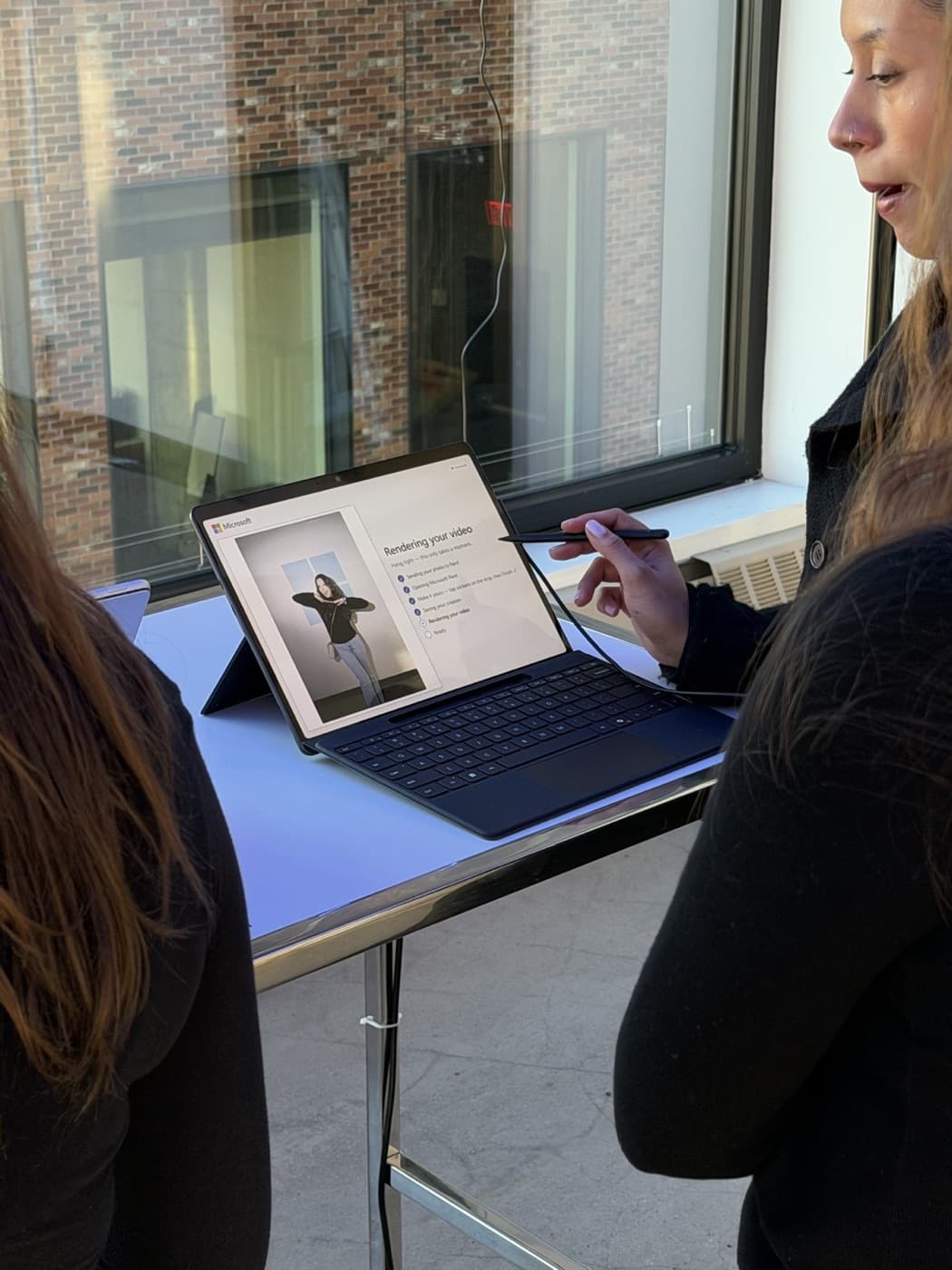
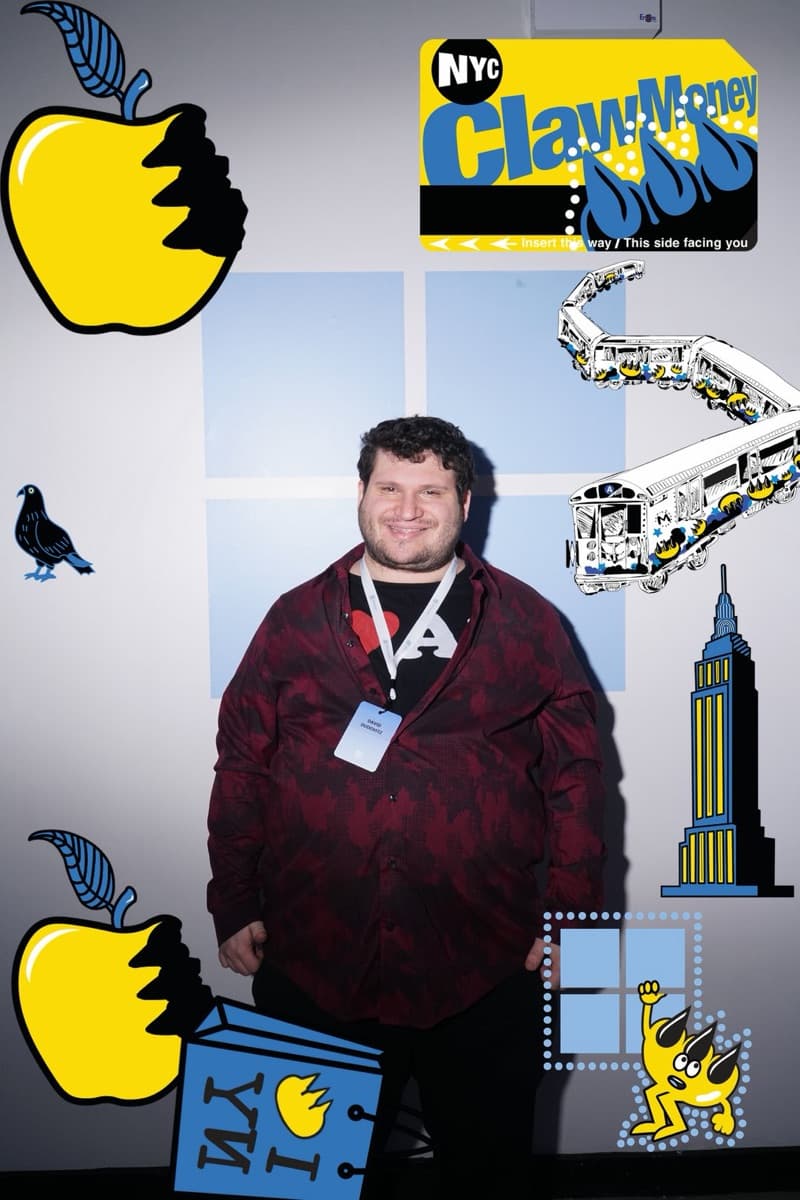
The core of the build is a native Windows on Arm companion app we wrote for the Snapdragon Surface Pro. When a guest picks their portrait, the companion opens it in Paint, zooms it to fit the screen and docks an always-on-top sticker strip beside the canvas, sized for fingers and loaded with New York icons by street artist Claw Money, animated ones first.
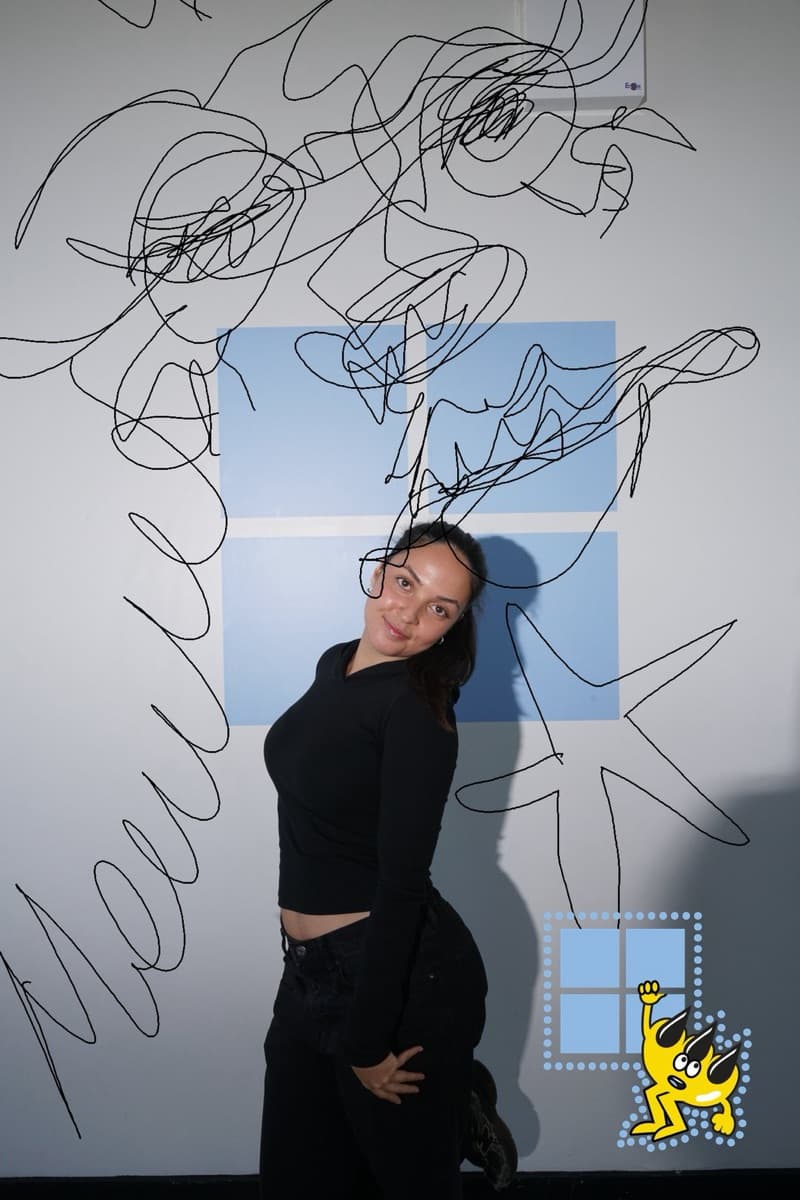
Guests used Paint the way it is meant to be used: brushes, text, shapes and layers. Every sticker they tapped went into Paint on its own layer, so they could move, resize or paint over it like any other part of the picture. When they tapped Finish, the companion saved the work from inside Paint itself.
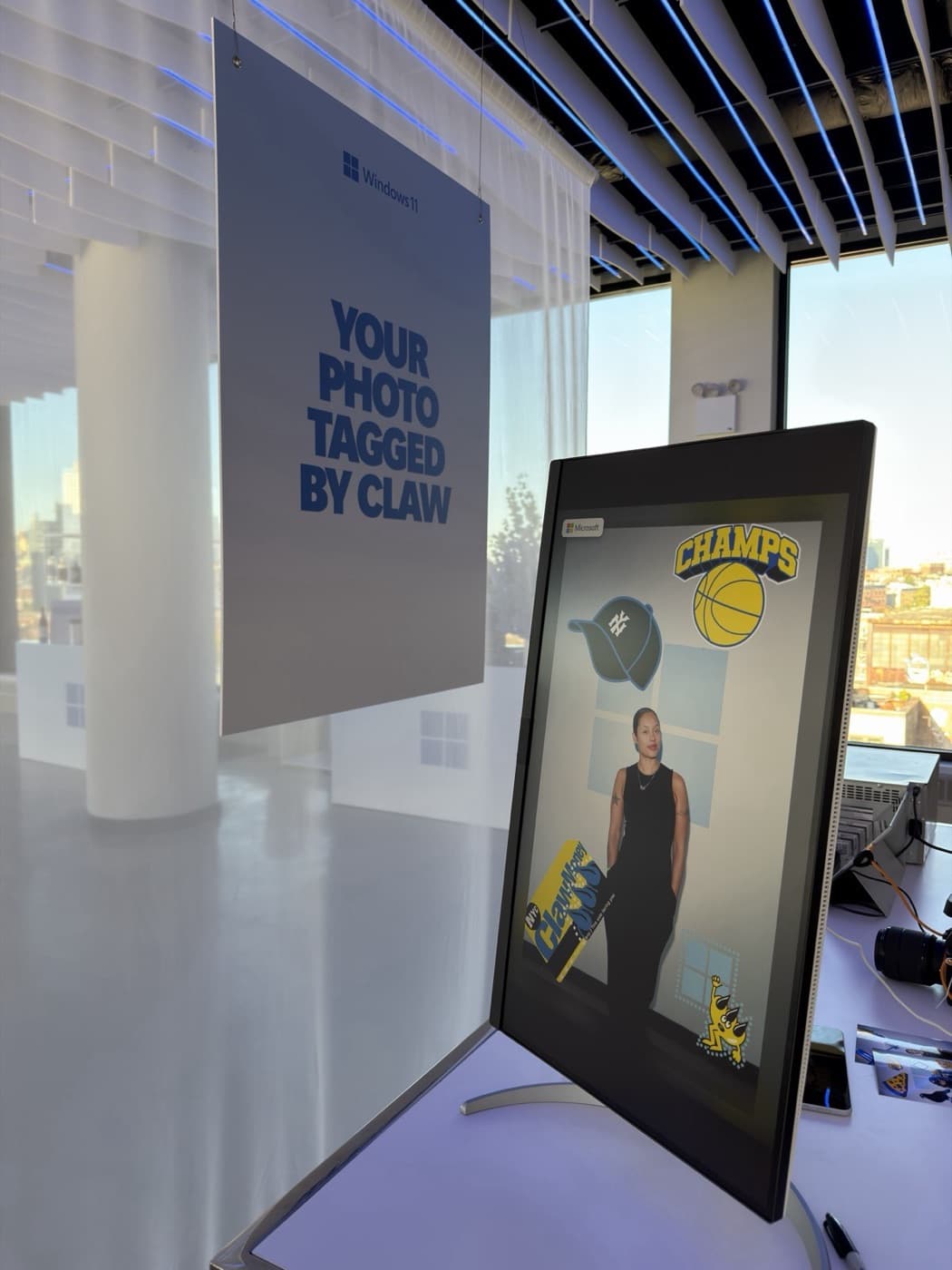
Then came the hard part. Our software reads the layered project file Paint saves, finds every sticker the guest placed, at its exact size and position, and brings the animated ones to life over the guest's own artwork. Paint's output becomes a vertical, social-ready video, with the full-resolution still ready to print.
None of it required changing Paint. The guest worked in the same app that ships on every Windows PC, and the custom software stayed out of the way until it was needed.
19
Stickers, 6 Animated
~5 sec
Paint to Finished Video
0
Changes to Paint
Surface Pro · Windows 11 · Microsoft Edge
Built Around Microsoft's Own Devices
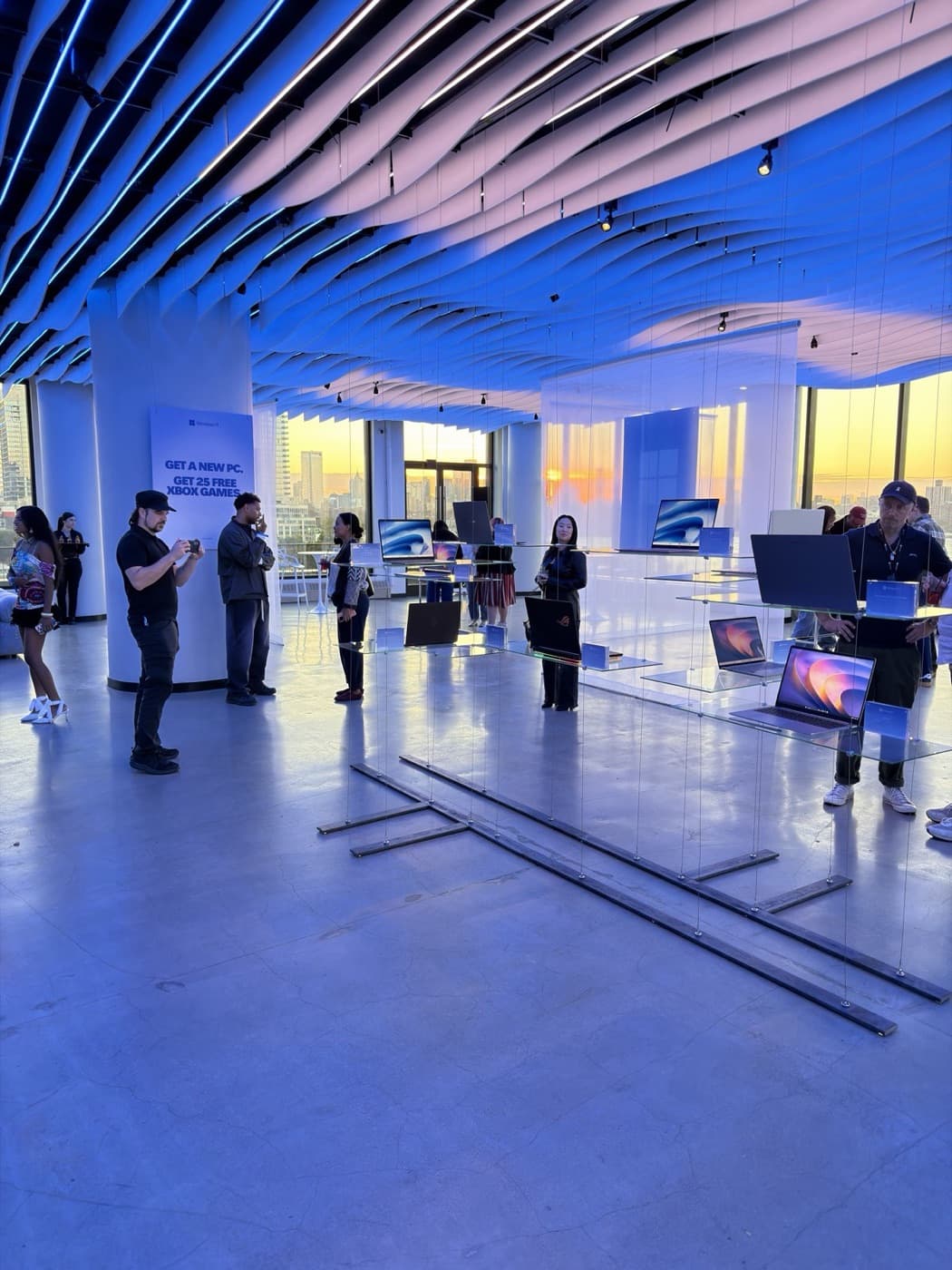
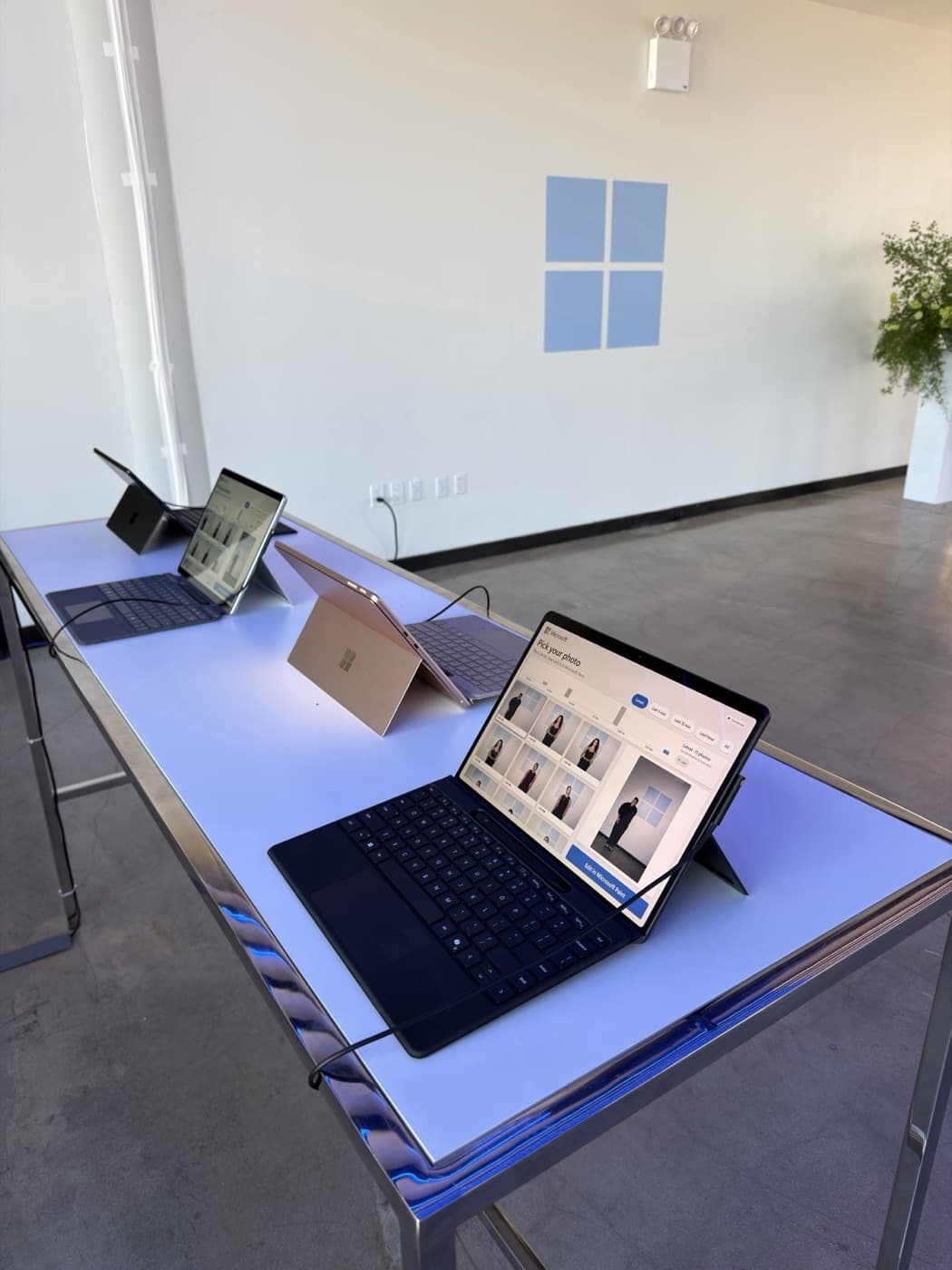
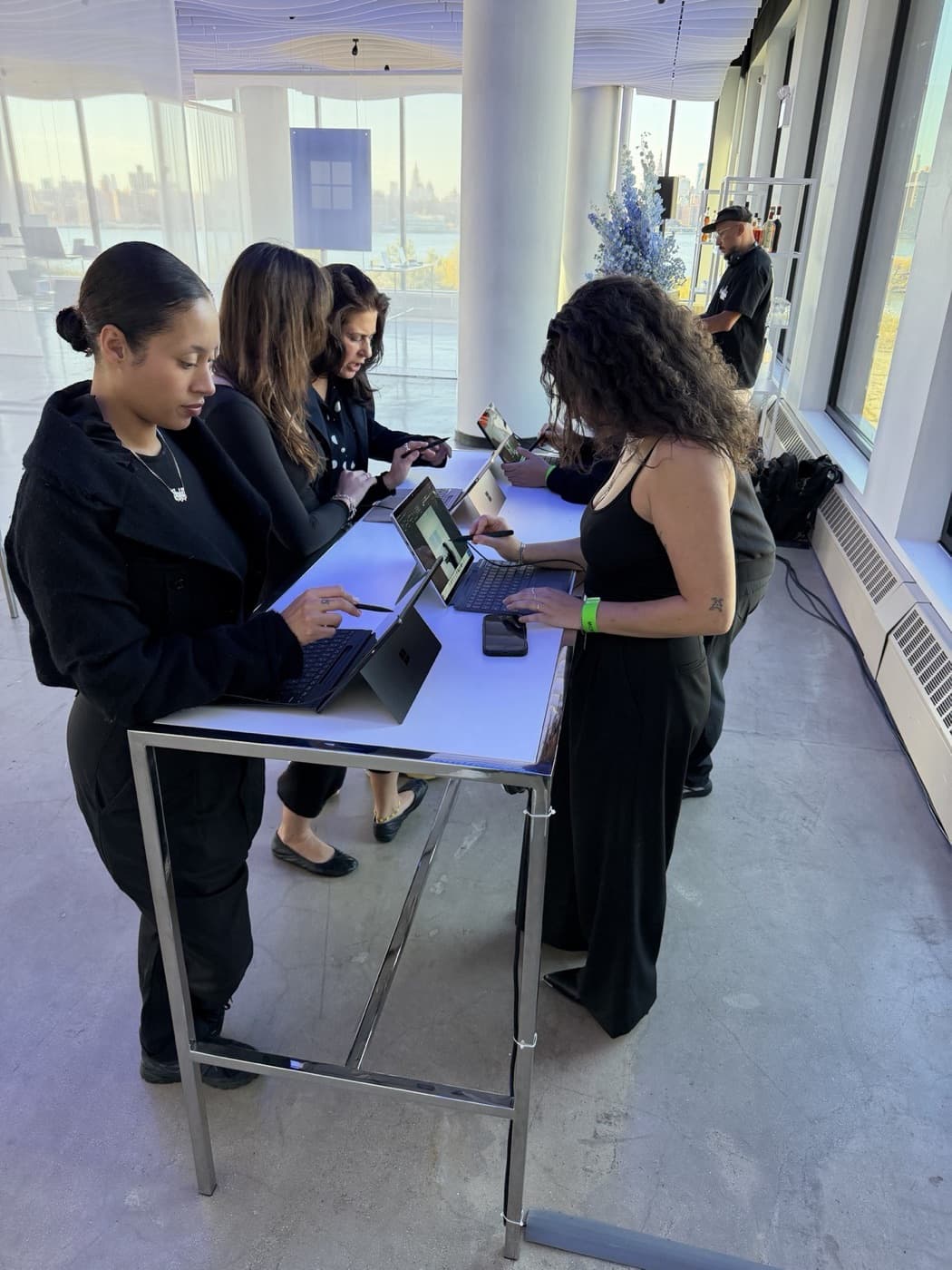
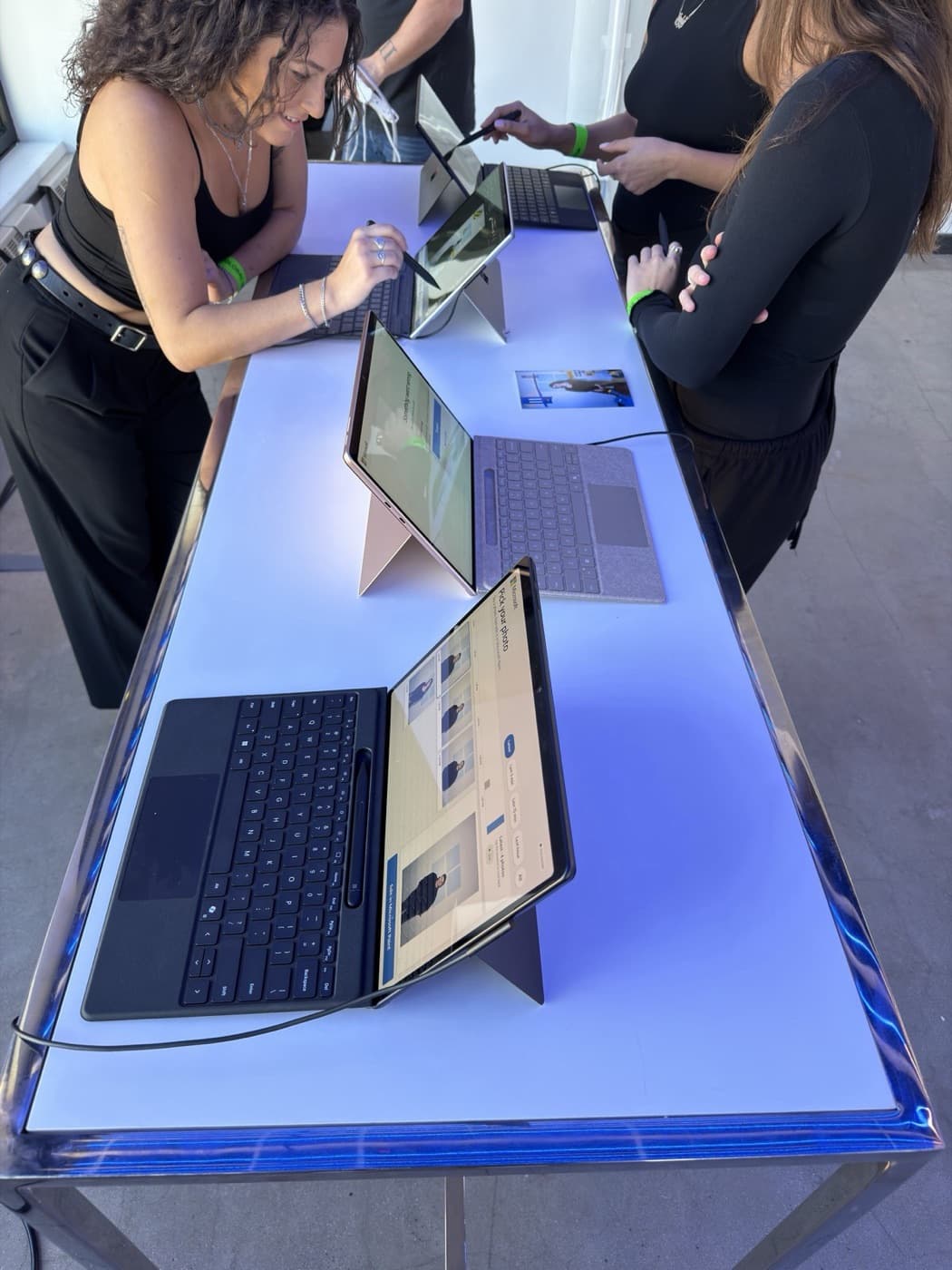
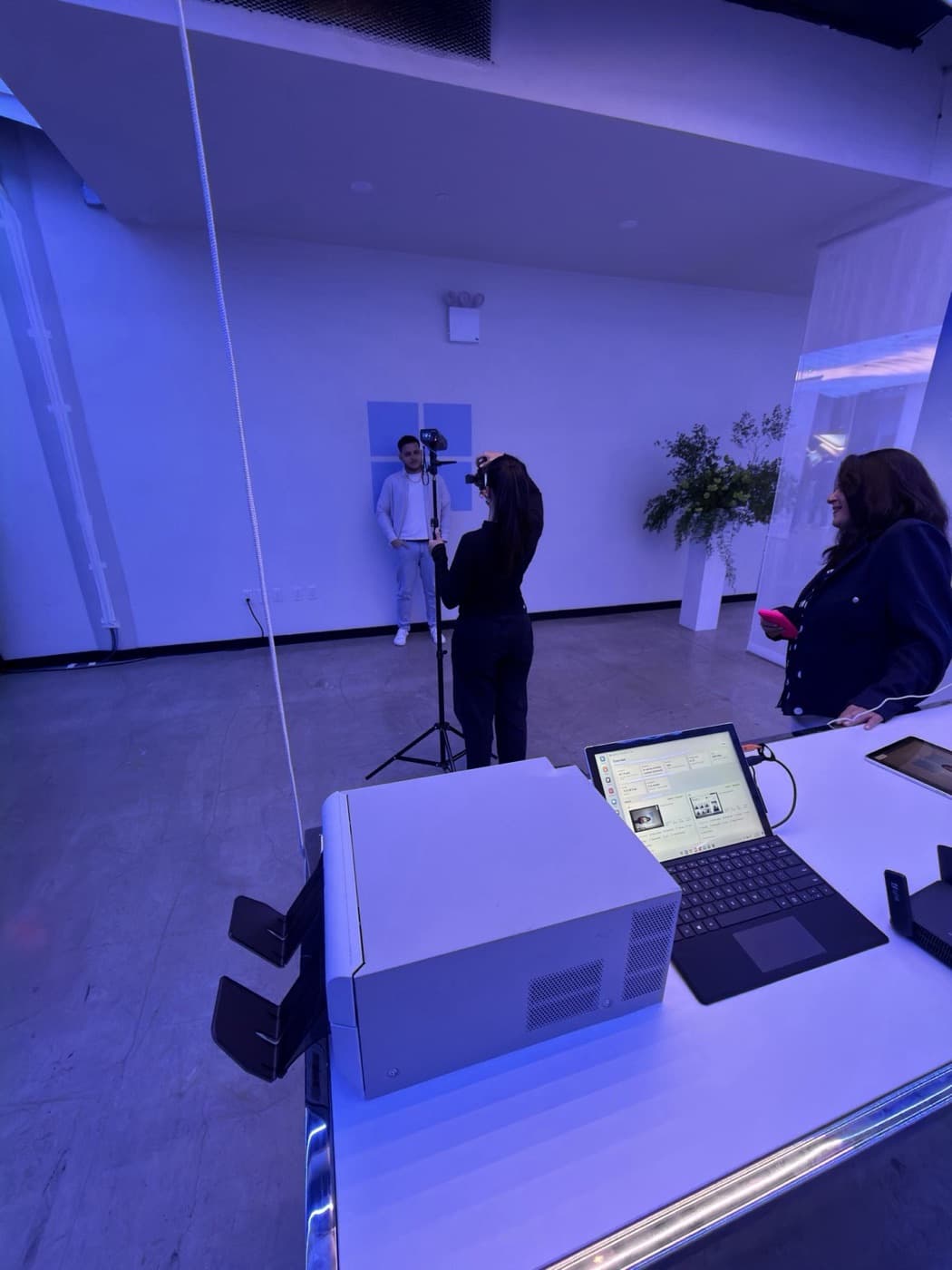
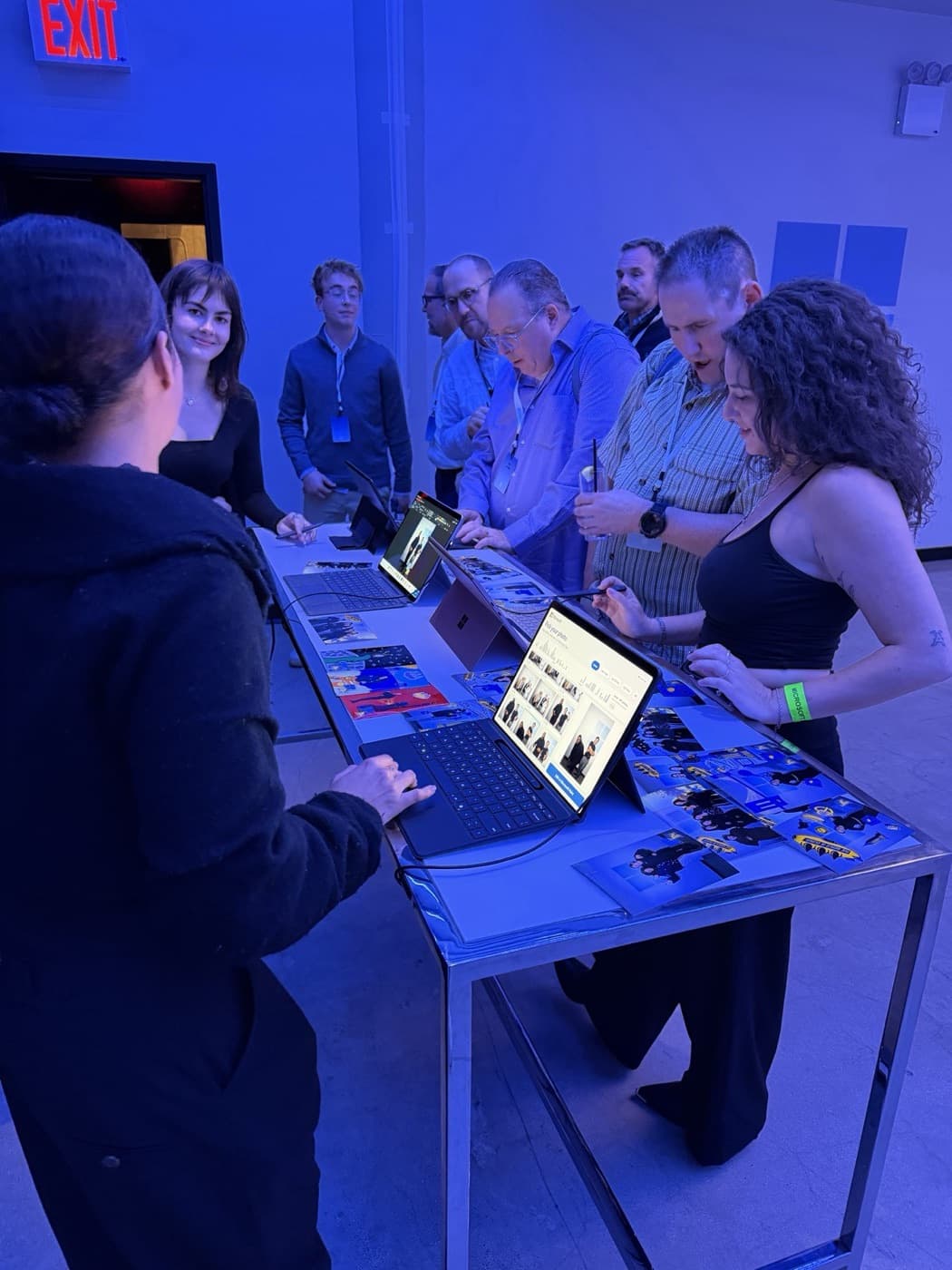
Every guest touchpoint ran on Microsoft hardware and software. Four Surface Pro stations on Windows 11 on Arm each ran Paint, our companion and a full-screen Microsoft Edge gallery where guests found their portrait, watched their video and sent it to their phone.
The Surfaces were loaners, available only on event day, so setup had to be fast and repeatable. We built a one-file setup that turns a stock Surface into a station from a USB stick in minutes: it installs the companion, registers it to start with Windows and recover by itself, and hardens the device for kiosk use.
The experience was styled in Microsoft's Fluent design language down to the type. Even the operator console looked and behaved like a Windows 11 desktop, so the brand team saw a Microsoft product end to end.
4
Surface Pro Paint Stations
Minutes
USB Setup per Surface
Windows on Arm
Native Companion App
PivotXP
Pro Capture In, Animated Art Out
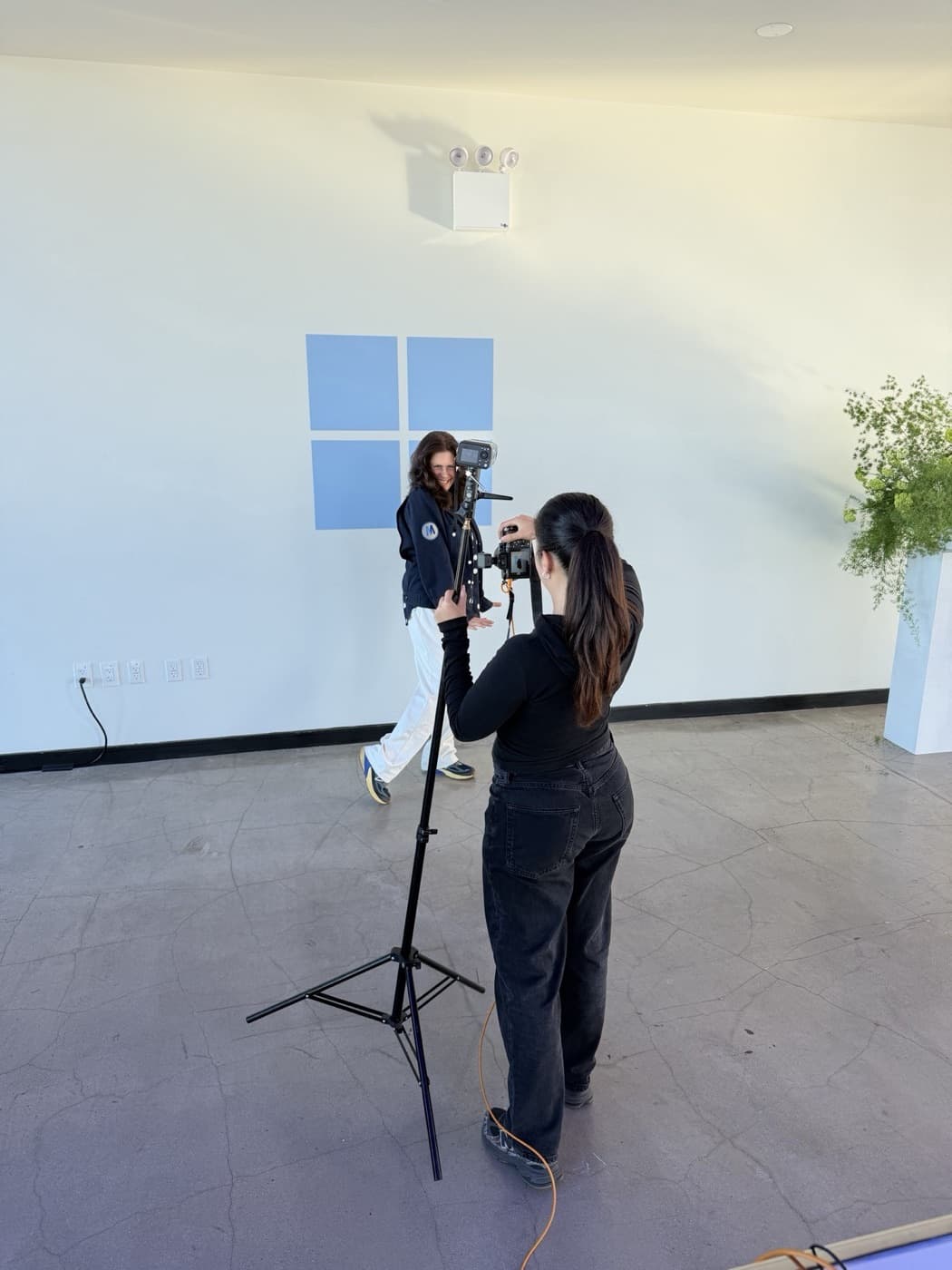
Portraits came from a full-frame mirrorless camera tethered to our on-site server, so each one landed in the Surface galleries a few seconds after the shutter fired, sharp enough to hold up to Paint's zoom and a 4x6 print.
When a guest finished, the server turned their Paint file into an animated video and a print-ready still. Guests texted the result to their phone from the Surface, and US and international numbers both worked. Every share arrived as a link to their own page with the video and the still.
A big-screen slideshow under the event's "Your Photo Tagged by Claw" signage showed finished creations around the room, with an operator approving each one before it played. Guests could also take home a dye-sublimation 4x6 print.
181
Guests Texted Their Art
255
Photos + Animated Videos
4x6
On-Site Prints
Microsoft
One Day, No Second Chances
The studio ran for one day, October 15, 2026. Guests sent their first creation just after lunch and kept going until close, with the evening peaks topping 50 deliveries an hour across the four stations.
All 255 deliveries went through: 181 stills and 74 animated videos, with an average delivery API response of 144 ms. Behind the scenes, the operator console showed a live screen thumbnail of every Surface, and staff could reset a station, lock it or send it a message without walking over. A second server kept a copy of every session, ready to take over if the first went down.
Privacy was set by the brief. There was no email capture and no consent form, because nothing was kept: each phone number was used once to deliver the guest's art and then erased.
Squeak E. Clean Studios brought PivotXP onto the project and led event production for Microsoft; we built and ran the technology alongside their team.
100%
Deliveries Confirmed
144 ms
Avg Delivery Response
0
Phone Numbers Kept
PivotXP Custom Software
What This Shows
Brands often want guests using the real product, not a demo of it. The real product usually was not built for an event floor. This build shows what we do in that gap: learn how the software behaves, write what it is missing and test it on the actual hardware until it holds up for a full day of guests.
The same approach works for any app, device or platform a brand wants to put in guests' hands, whether it has an API or not.
Built With
Want this at your event?
Custom Event Software
Software written for the brief, tested on the real hardware and run on site by the people who wrote it.
See Custom Event Software →
Branded Photo Booth Rental
Photo, GIF and video booths built to your brand guidelines, shipped to you or run by our crew.
See Branded Photo Booth Rental →
Custom Builds
Kiosks, sensor games, leaderboards and footprints built by our local, in-house developers.
See Custom Builds →
Gallery
See It in Action
12 photos · 4 videos
Ready to create your next experience?
From concept to execution, PivotXP builds experiences that move people.