
AR photo ops + face filters
Branded filters, virtual try-ons, and character or product overlays with capture and a share page. Runs on the guest's phone or on a PivotXP kiosk for guests who will not scan.
Augmented reality that opens from a QR code in the phone's browser. No app download, no account. AR photo ops, filters, scavenger hunts, and packaging programs, tied to the same registration and reporting as everything else we run.
Most AR at events fails for boring reasons: the venue has no signal, half the phones are three years old, and nobody scans a code that leads to an app store. We build WebAR the way we build everything else, for the line in front of it. Browser-based, cached, with a fallback for older phones, a kiosk for guests who will not scan, and a Starlink kit when the venue is a dead zone.
And because the session can start from a registration QR or an RFID band, an AR scan is not a separate data island. It is one more touchpoint on the same guest profile your client reads in one dashboard.
What we build
Mix and match, or tell us the concept and we will spec the right one.
Branded filters, virtual try-ons, and character or product overlays with capture and a share page. Runs on the guest's phone or on a PivotXP kiosk for guests who will not scan.
Multi-stop hunts across a venue, a festival, or a retail footprint with QR or GPS triggers, progress tracking, prize logic, and a live leaderboard.
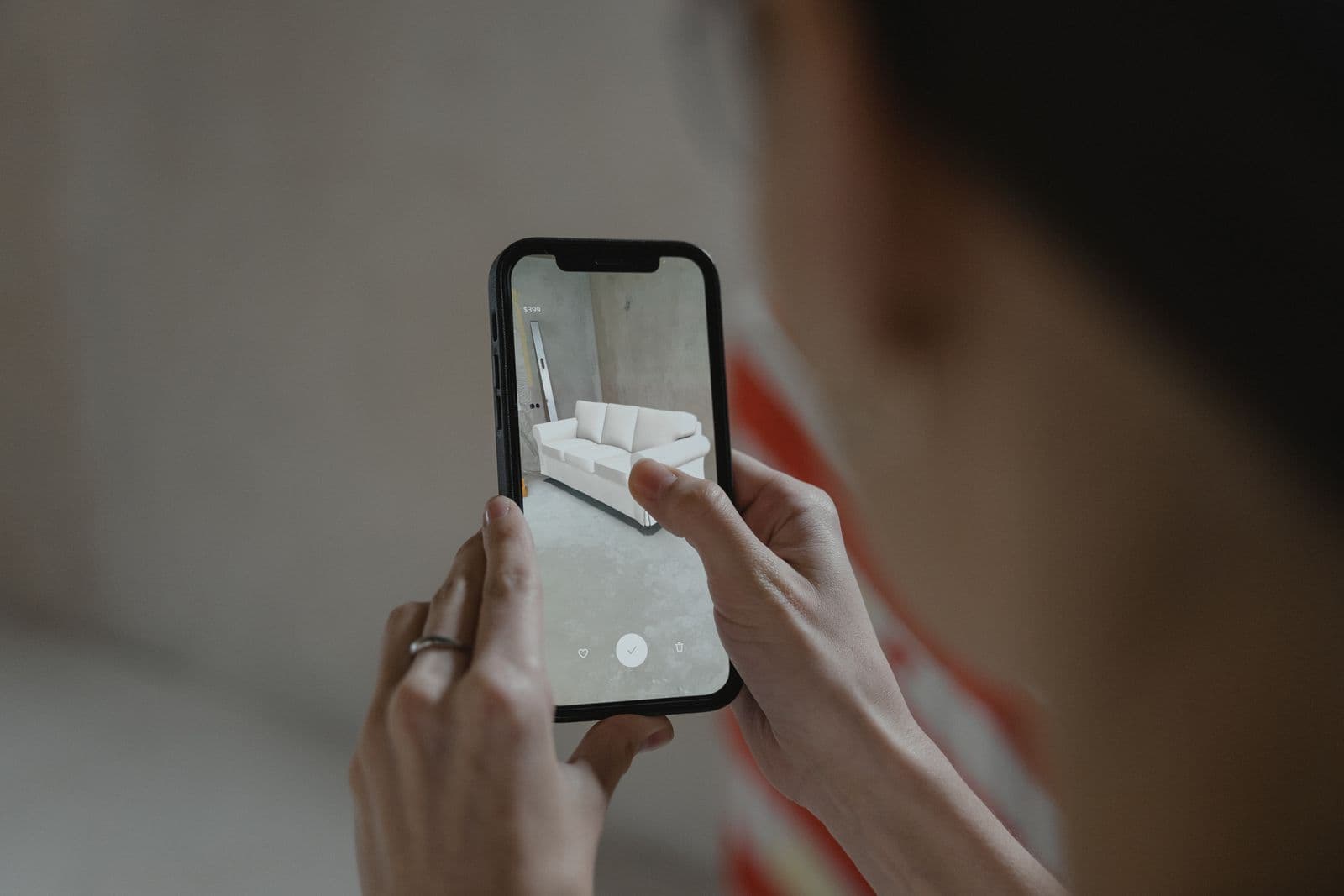
Put the vehicle, the sneaker, or the appliance in the guest's space at true scale, with hotspots that open specs, video, and an offer.
QR generation, short links, redirect rules, and scan analytics by placement. On-pack codes that open an experience, a sweepstakes entry, or exclusive content.
Start the AR session from the guest's registration QR or RFID band so every capture and share lands on one profile and one export.
Compressed assets, caching, a non-AR fallback for older phones, and Starlink or bonded cellular when the venue is a dead zone.
Related builds
These programs used the layer every AR build sits on: scan to start, real-time personalization and background removal, one guest profile across stations, instant delivery, and a lead export the client can read the next morning.
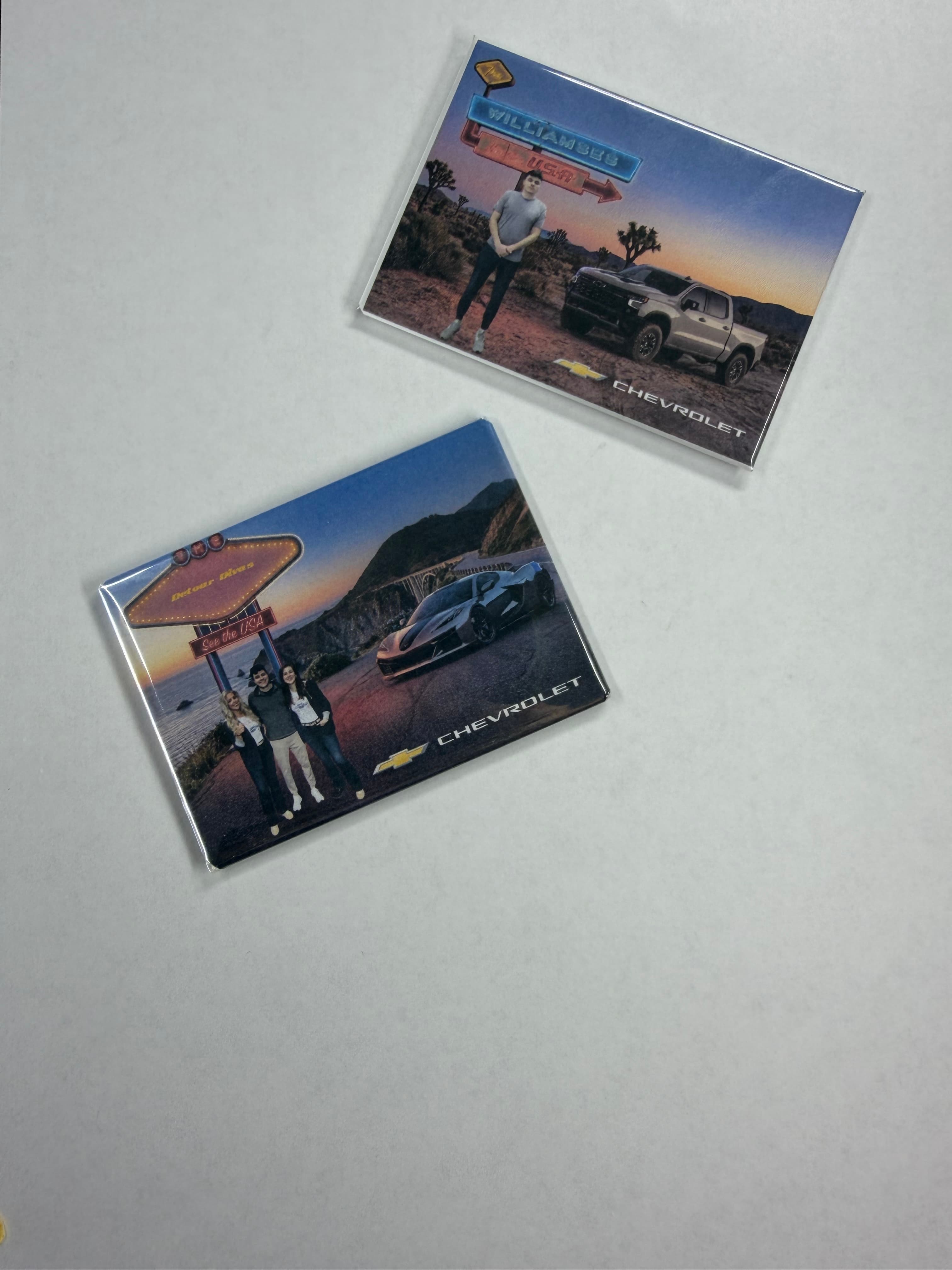
3,639
Magnets Made
Chevrolet / Jack Morton
At the New York Auto Show, PivotXP partnered with Jack Morton and Chevrolet to create a photo experience that blended vintage Americana with modern technology — giving guests a moment tha…
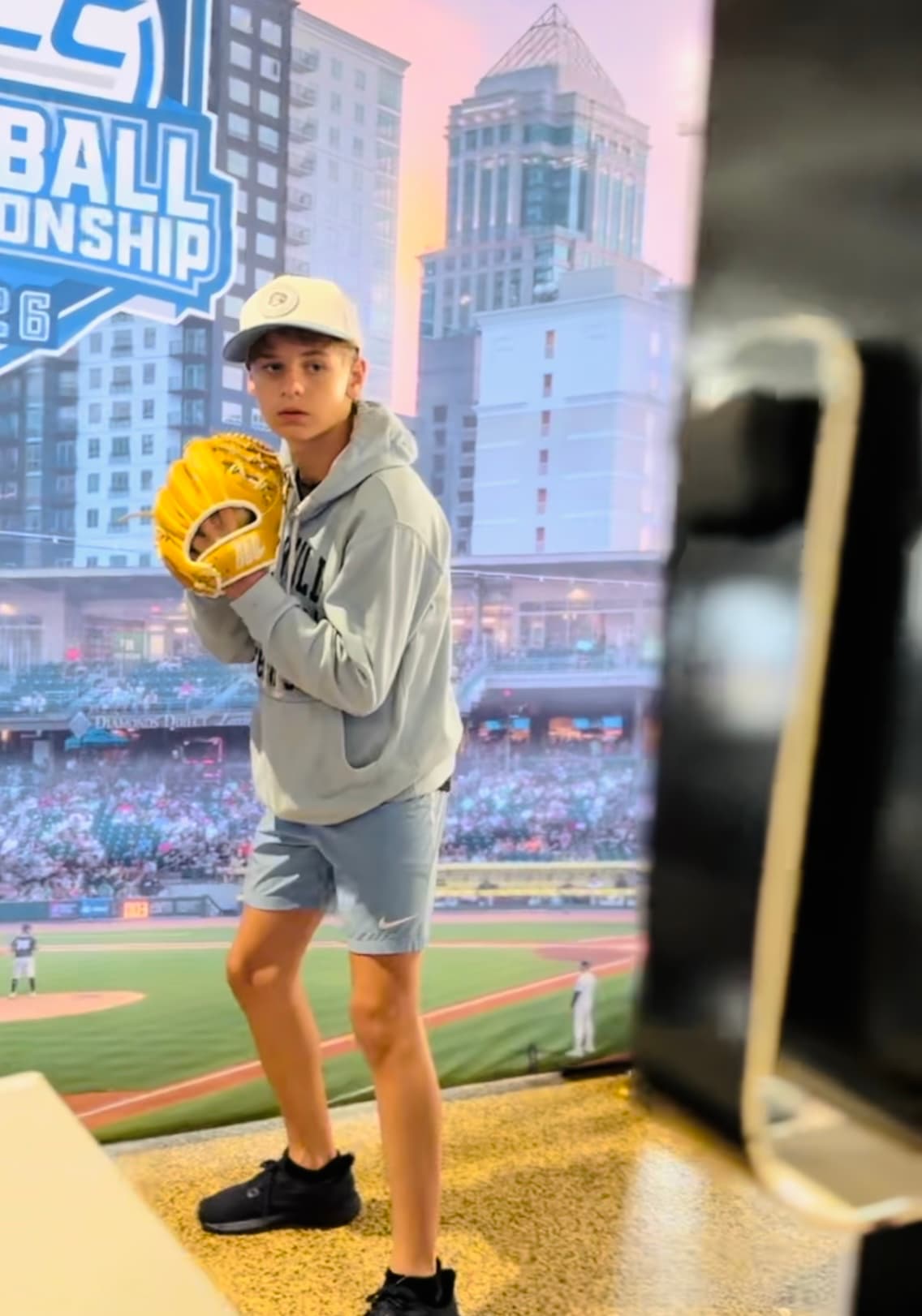
Mobile
Pre-Registration In Line
ESPN / ACCN
At the 2026 ACC Baseball Tournament in Charlotte, ESPN and ACCN partnered with PivotXP to deliver a connected fan experience built around secure registration workflows, personalized conte…
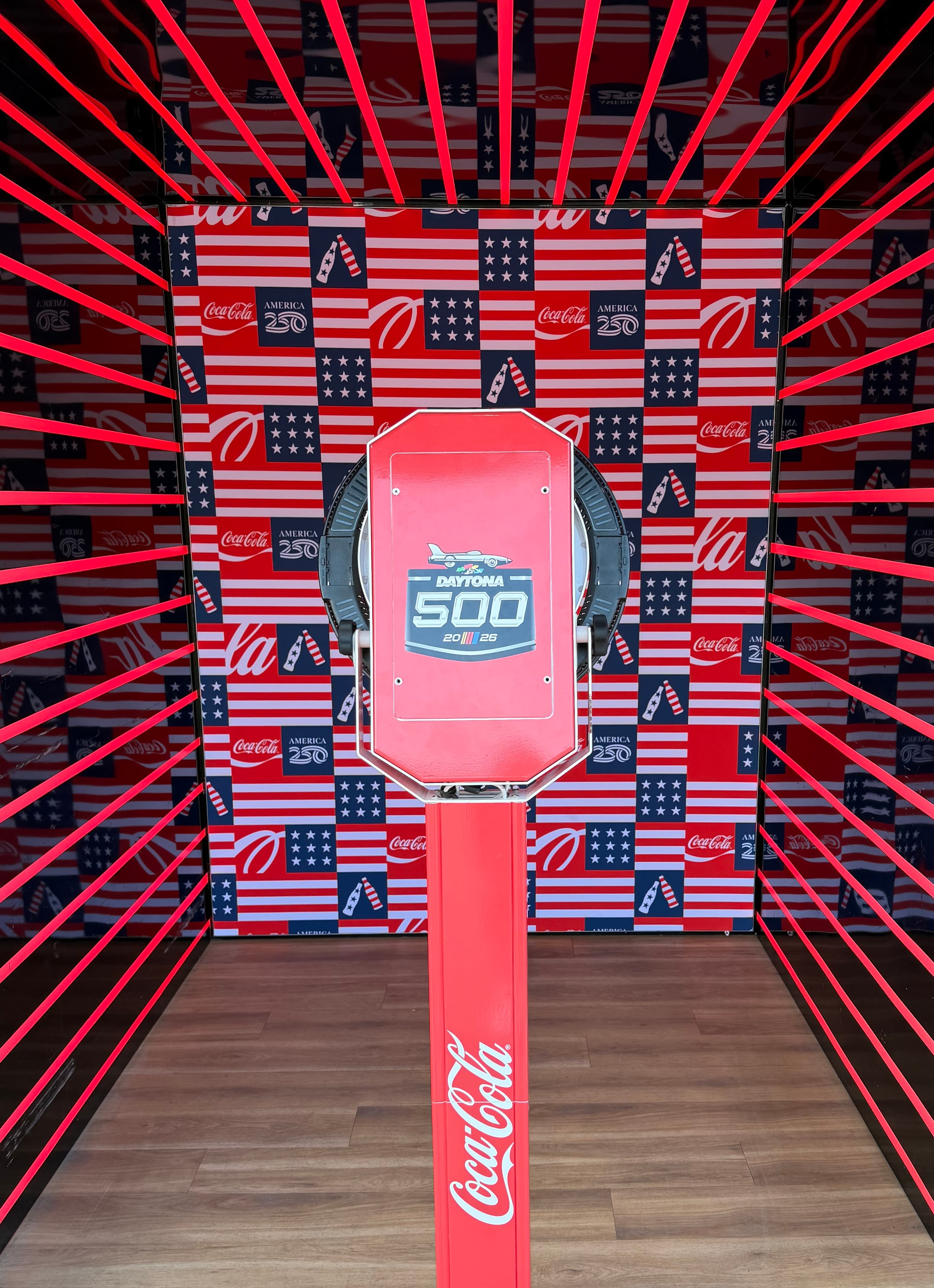
Unified
Registration Ecosystem
Coca-Cola
At the 2025 Daytona 500, Coca-Cola partnered with PivotXP to create a connected fan experience powered by centralized registration, secure API integrations, and real-time engagement track…
No templates. Ever.
Nothing we ship is a product with your logo dropped on it. Each program is designed and built from scratch for the brand running it, by our own local, in-house developers (nothing outsourced, nothing offshore), to the brand guidelines your marketing team already enforces. Your typefaces, your colors, your motion, your tone, your legal lines. Ours never appear.
Bring the brand guidelines to the kickoff call. No formal guidelines yet? We work from your logo files and website and send a style sheet for sign-off before the build starts.
We build to the brand book: approved typefaces, exact color values, logo clear space, and lockups. No near-miss colors, no fallback fonts.
Start screens, prompts, consent language, share pages, and texts are written in your tone, then approved by your team before anything ships.
Transitions, idle loops, win states, and audio follow your motion and sound rules, or stay quiet if the brand says so.
Official rules, disclaimers, age gates, and opt-in copy placed where your counsel wants them, word for word.
Wraps, enclosures, and fabrication finished in the brand palette and materials. Nothing on the floor says PivotXP.
You review a working build, not a mockup, and approve it against your guidelines before it goes on a truck.
What's on the quote
No published rates for AR; every build is scoped to the concept. These are the lines an estimate is made of, so you can sanity-check a brief before the call.
Every estimate is built from these same lines, so nothing shows up on the quote that you have not seen here. Send dates, city, and what you need and you will have a line-item estimate the same business day.
WebAR experience build
Browser-based AR that opens from a QR code or link. No app download. Includes the 3D or filter asset pipeline, tracking setup, and hosting for the program term.
AR photo op or face filter
Branded filter or try-on with capture, share page, and delivery by text or email. Runs on the guest's phone or on a PivotXP kiosk.
AR scavenger hunt or map
Multi-stop hunt with QR or GPS triggers, progress tracking, prize logic, and a leaderboard. Ties to registration so every stop lands on the same guest profile.
Packaging + print QR program
QR generation, short links, redirect rules, and scan analytics for on-pack, signage, or OOH placements.
Registration + data capture layer
Opt-ins, sweepstakes entry, and a lead export from every AR session. Priced once for the program.
Kiosk or tablet fallback
A PivotXP kiosk that runs the same AR experience for guests who will not scan, with a tech to keep the line moving.
Software redeploy for a returning program
New creative, new dates, same proven build.
If something goes wrong on site
Every build is hosted online and every unit is reachable by our team, so most issues are handled from our desk while your event keeps running. For programs where the client is in the room, a multi-unit footprint, or a first live day, we put a PivotXP tech on site. Which one fits depends on the event, and we tell you at the quote stage.
Lead times
Kiosk or Starlink rental
Ships the next business day after the contract is signed, timed to arrive before your setup date.
Brand an existing kiosk
Days once your art arrives. Wrap art, overlays, share page, and AI creative. Art specs sent at kickoff.
Custom software build
Days for a proven format, a few weeks for something new. Local, in-house developers, never outsourced, scenario-tested before it ships.
Hardware + software concept
Weeks, not months. Software and sensor integration in house; fabrication gets a real date at the quote stage.
Clickable prototype for a pitch
Days. Enough to win the room before anything is built.
Tight timeline? Say so on the form. Rentals and returning programs move in days; we will tell you honestly what a new build can hit.
Data, privacy + AI
Guest data belongs to your client. We hold it only as long as the program needs, deliver it as a clean export, purge PII after close, and disclose exactly where AI is used. The plain-language version is one page.
What agencies ask before adding AR to an activation.
Traditional AR needs an app installed on the guest's phone. WebAR runs in the phone's browser: the guest scans a QR code or taps a link and the experience opens in a few seconds with nothing to install. For a live event that difference is the whole line. Almost nobody downloads an app at a footprint; almost everybody scans a code.
Yes. We build to the web standards both platforms support and test on current iOS Safari and Android Chrome before show day. Older phones fall back to a non-AR version of the same experience so the guest still gets the content, the photo, and the entry.
An AR experience is only as good as the connection that loads it. We spec the connectivity with the build: assets are compressed and cached, and when the venue is a dead zone we bring a Starlink or bonded cellular kit and a dedicated Wi-Fi network for the footprint. We also offer a kiosk fallback that runs the same experience on our hardware.
Yes, and that is the reason to build it with us instead of a filter shop. The AR session can start from the guest's registration QR or RFID band, so every scan, capture, and share lands on the same guest profile and in the same export as the photo kiosk and the leaderboard.
Yes. We generate the codes, manage the short links and redirect rules, and report scan analytics by placement, so you can see which shelf talker, can, or poster actually drove the experience.
A clickable prototype for a pitch takes days. A branded AR photo op or filter on a proven build can be live in days once creative is approved. A custom scavenger hunt or multi-scene experience is weeks, not months, because our developers are in house and every build is scenario-tested before it ships.
Concept deck in, feasibility notes and a line-item estimate back within a business day.
Get an AR Quote →