
Microsoft Copilot at AfroTech: A Four-Screen 98-Inch Touch Tower Where Guests Told Copilot What to Create
200+
Designs Created (Est.)
25 of 25
Prompt + Look Combinations Played
96%
Videos Watched to the End
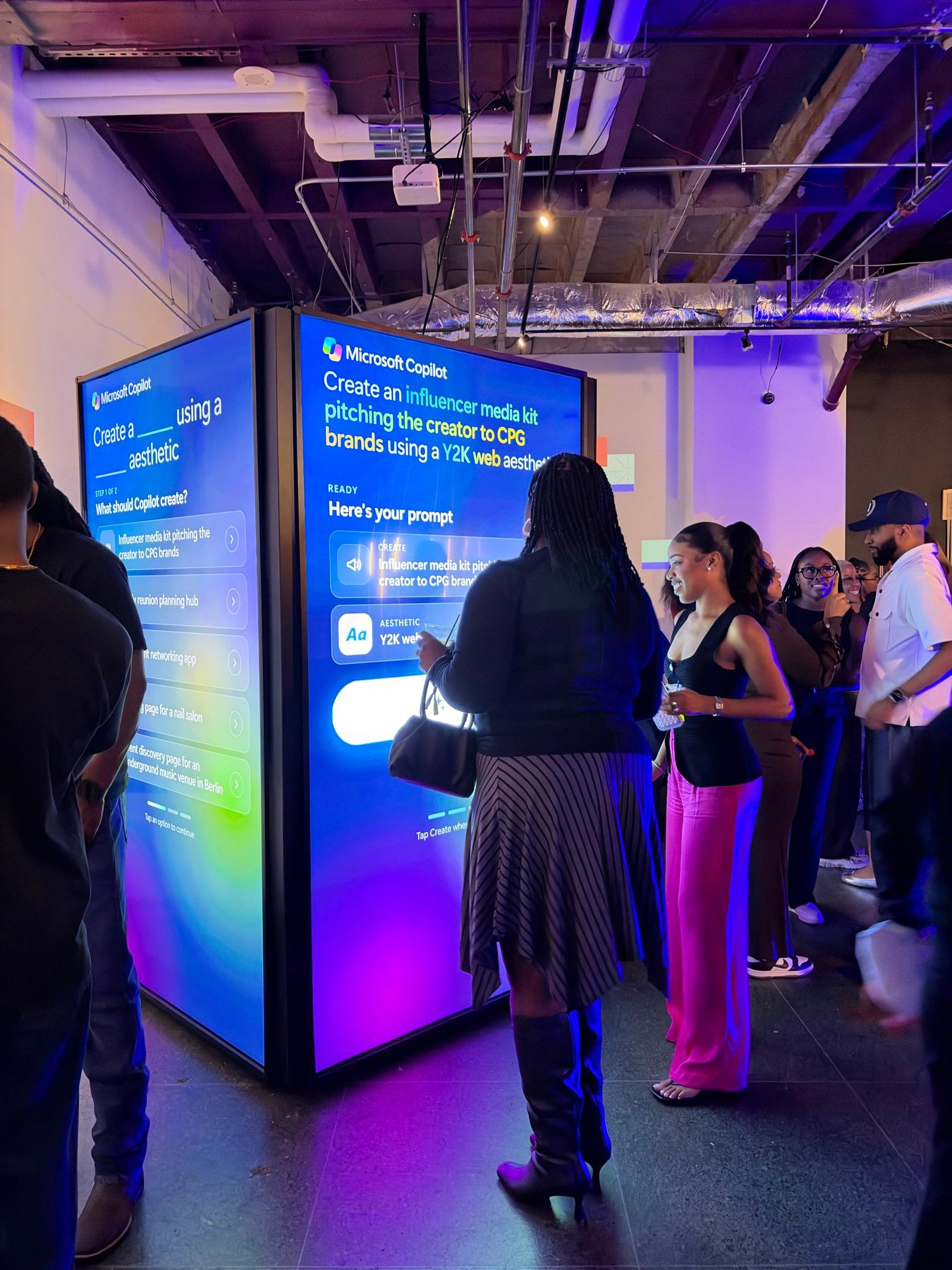
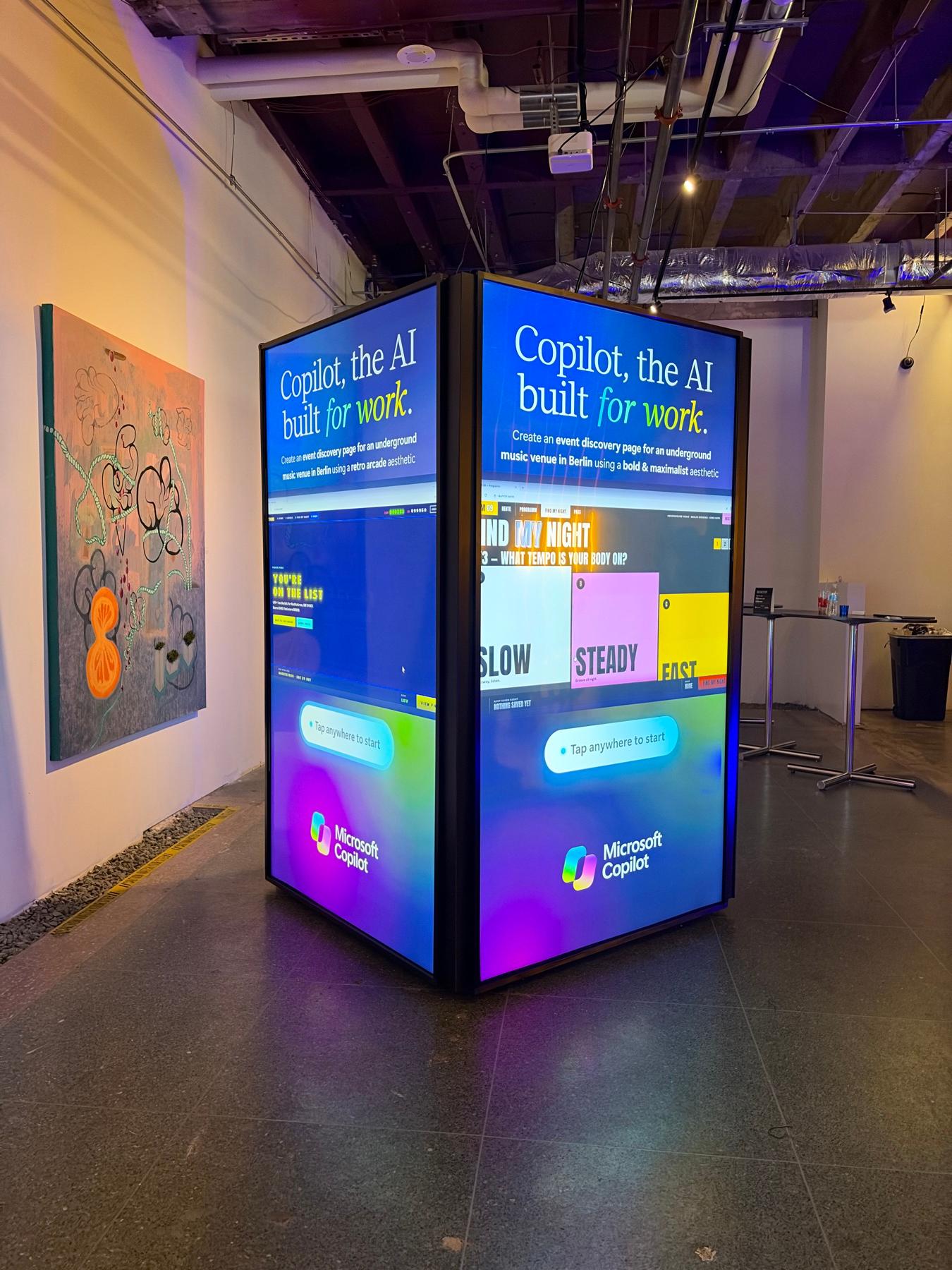
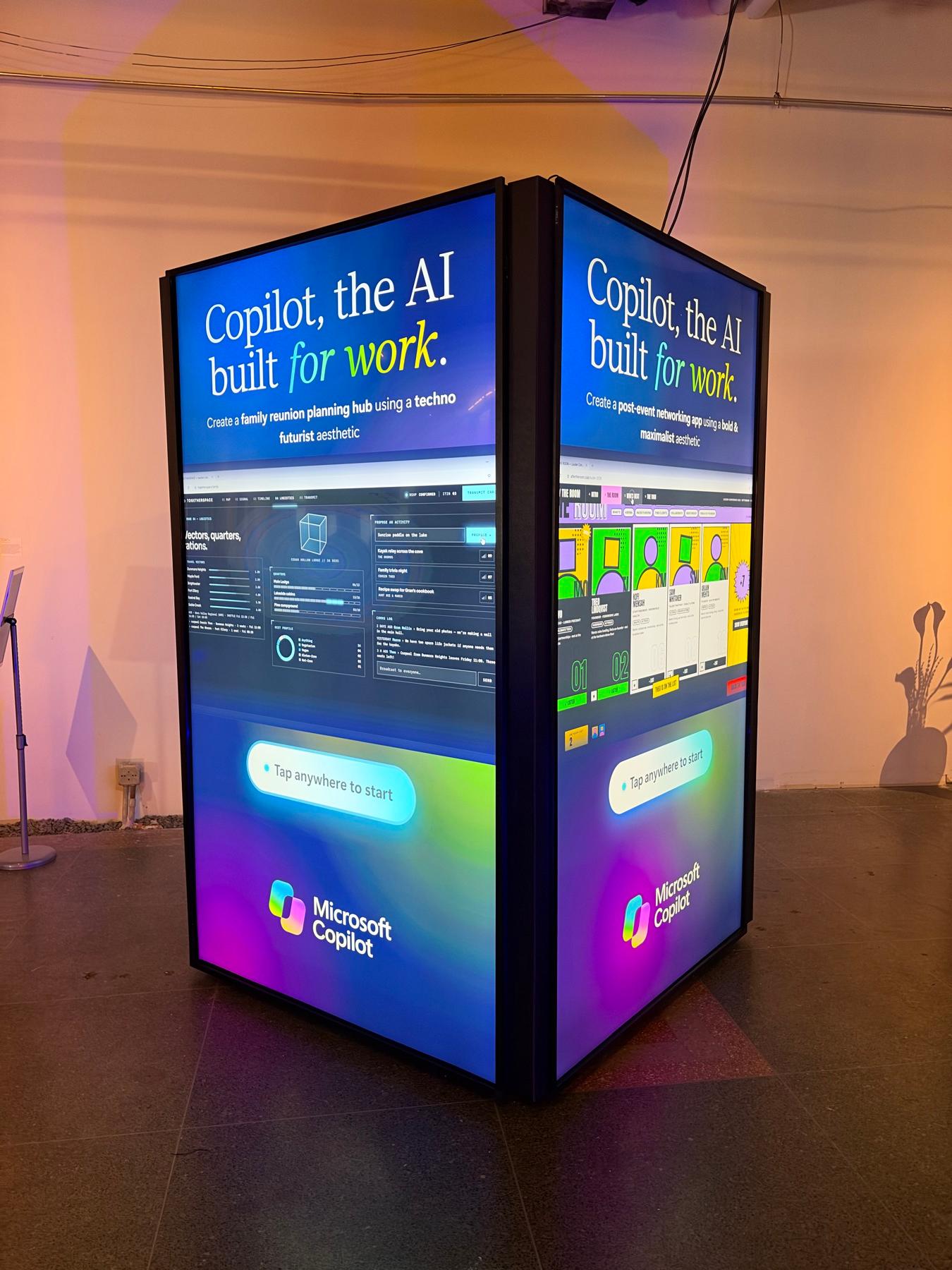
For Microsoft's Copilot presence at AfroTech in Houston, November 3 and 4, 2026, PivotXP and agency Squeak E. Clean Studios built a four-sided tower of 98-inch portrait touchscreens running a custom Windows kiosk app. Guests filled in "Create a ___ using a ___ aesthetic", tapped Create and watched a finished site for their combination. Guests created an estimated 200+ designs, played all 25 combinations and watched 96% of the videos to the end, with zero app errors.
Microsoft
The Ask: Show What Copilot Can Build for Work
Microsoft wanted a hands-on way to show what Copilot can build for work, at a busy event where people give a screen seconds, not minutes. Squeak E. Clean Studios, who brought us onto the project, sent the brief: touch demos on 98-inch TVs fitted with Tyco infrared touch frames, live in Houston for two event days, November 3 and 4.
The hardware set the rules. The touch frames only work with Windows, so the experience had to be a native Windows app, not a browser page. A 98-inch screen standing on its side is taller than most guests, so anything near the top or bottom is out of reach. And Microsoft's brand team had firm rules on the Copilot logo, colours, Segoe typefaces and wording: guests "Create", they never "Generate".
We had 27 days from the first call to install day.
4
98-Inch Portrait Touchscreens
1
Four-Sided Tower
27 Days
First Call to Install
PivotXP Custom Software
Fill In the Blanks, Watch It Built
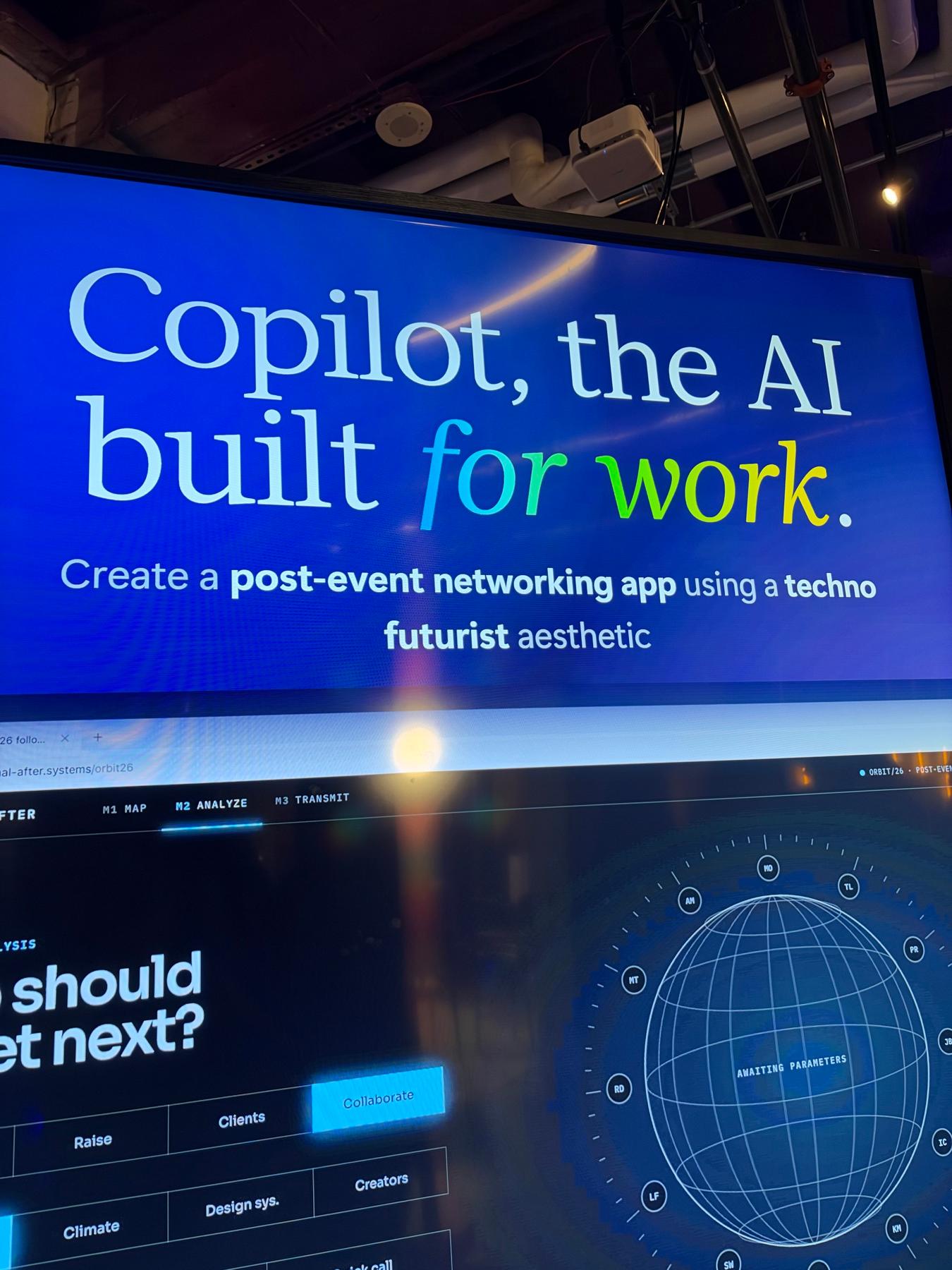
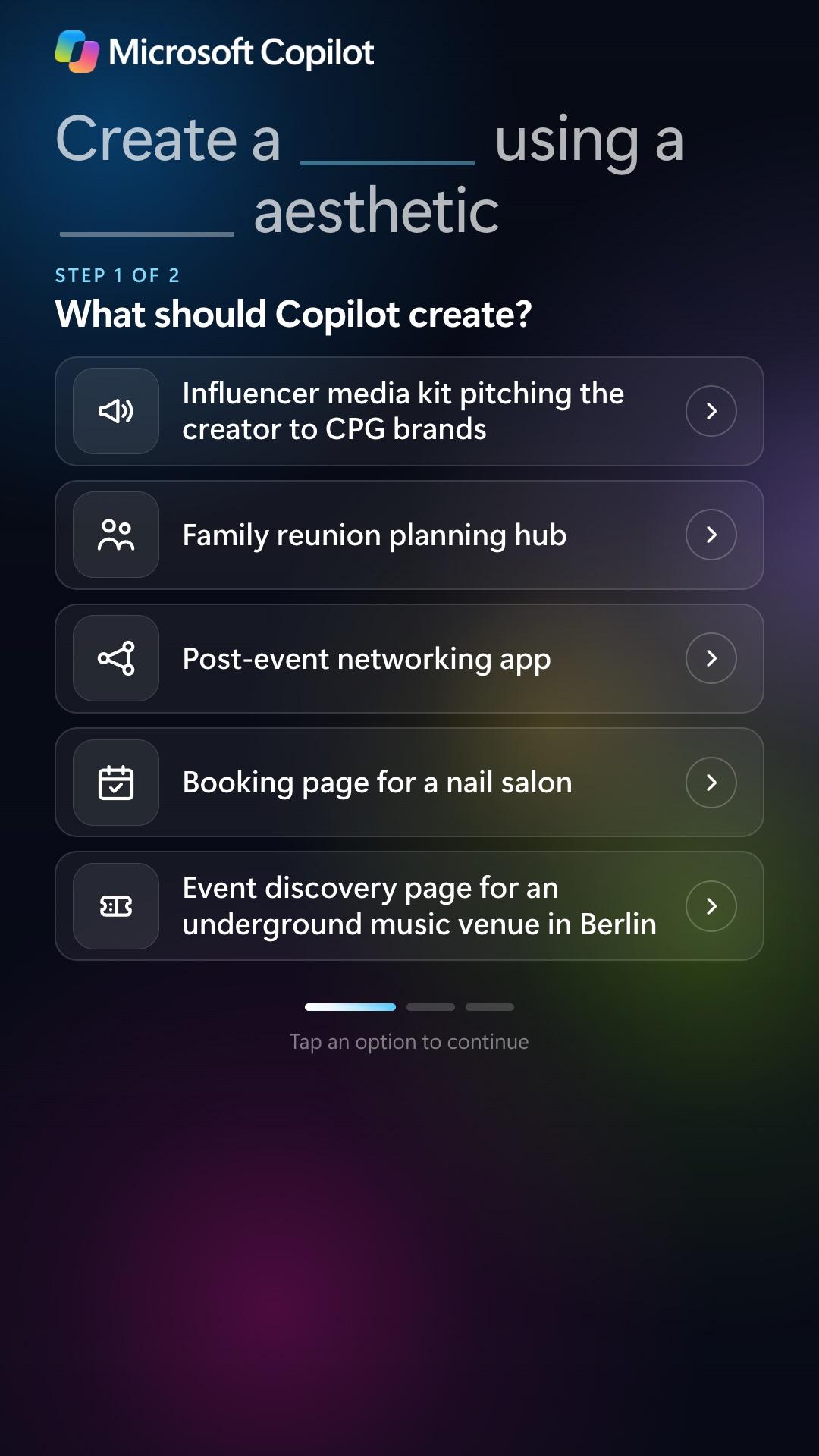
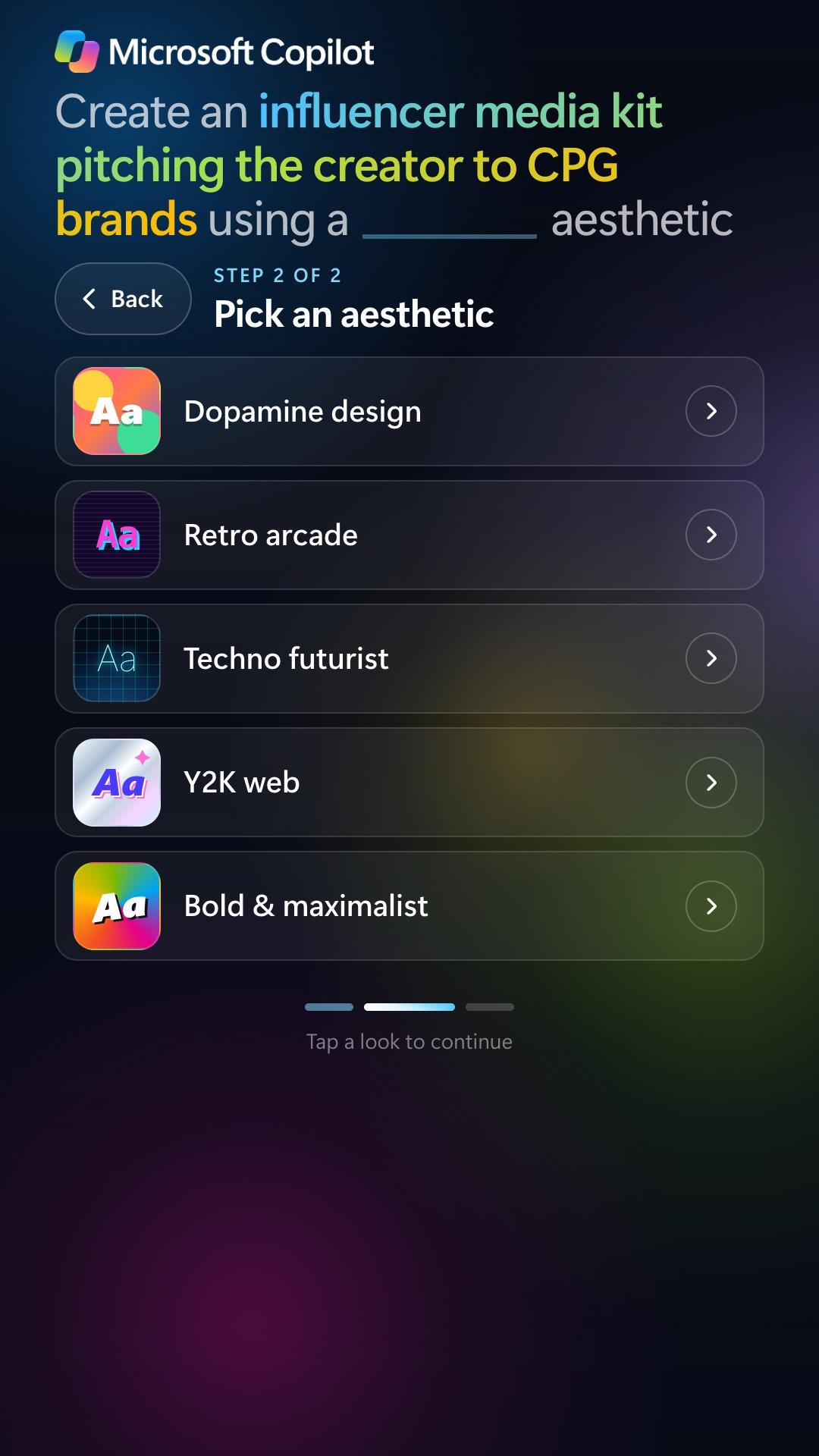
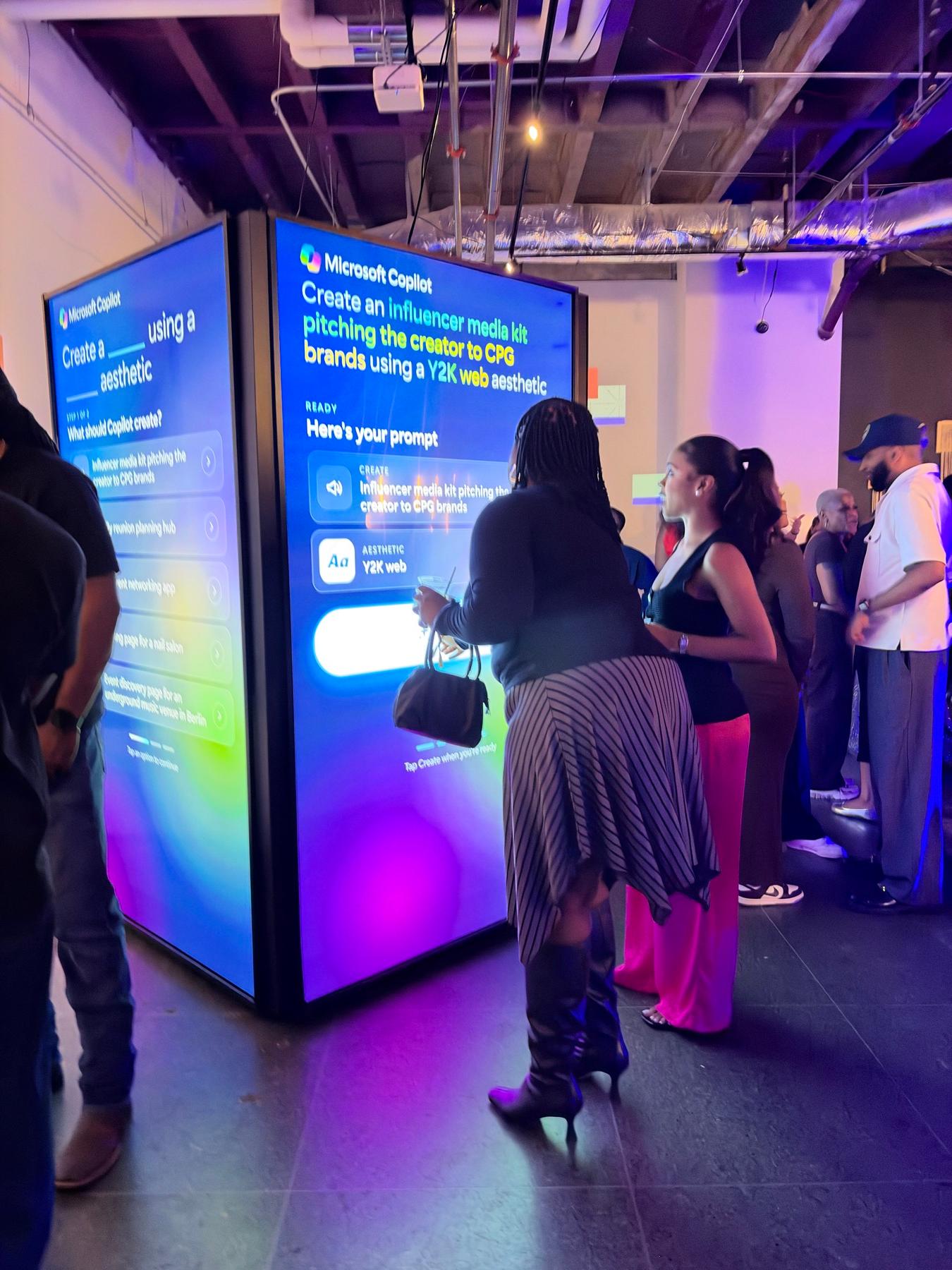
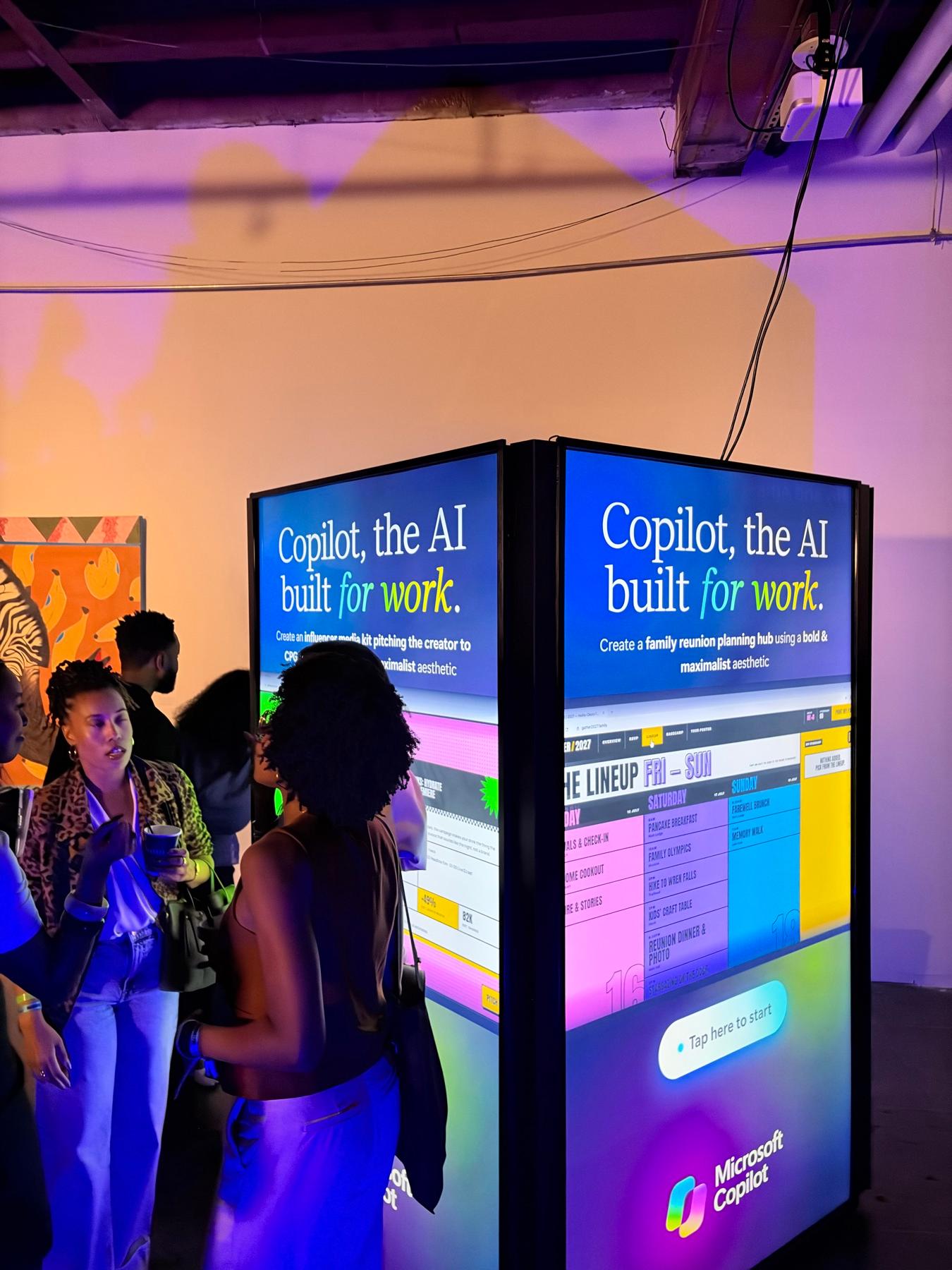
Guests walk up to any of the four faces and tap "Tap here to start". Step one asks what Copilot should create, with five real work tasks: an influencer media kit pitching a creator to consumer brands, a family reunion planning hub, a post-event networking app, a booking page for a nail salon, and an event discovery page for an underground music venue in Berlin. Step two picks the look: Dopamine design, Retro arcade, Techno futurist, Y2K web, or Bold and maximalist. The sentence at the top fills in as they tap, so the prompt builds itself in front of them.
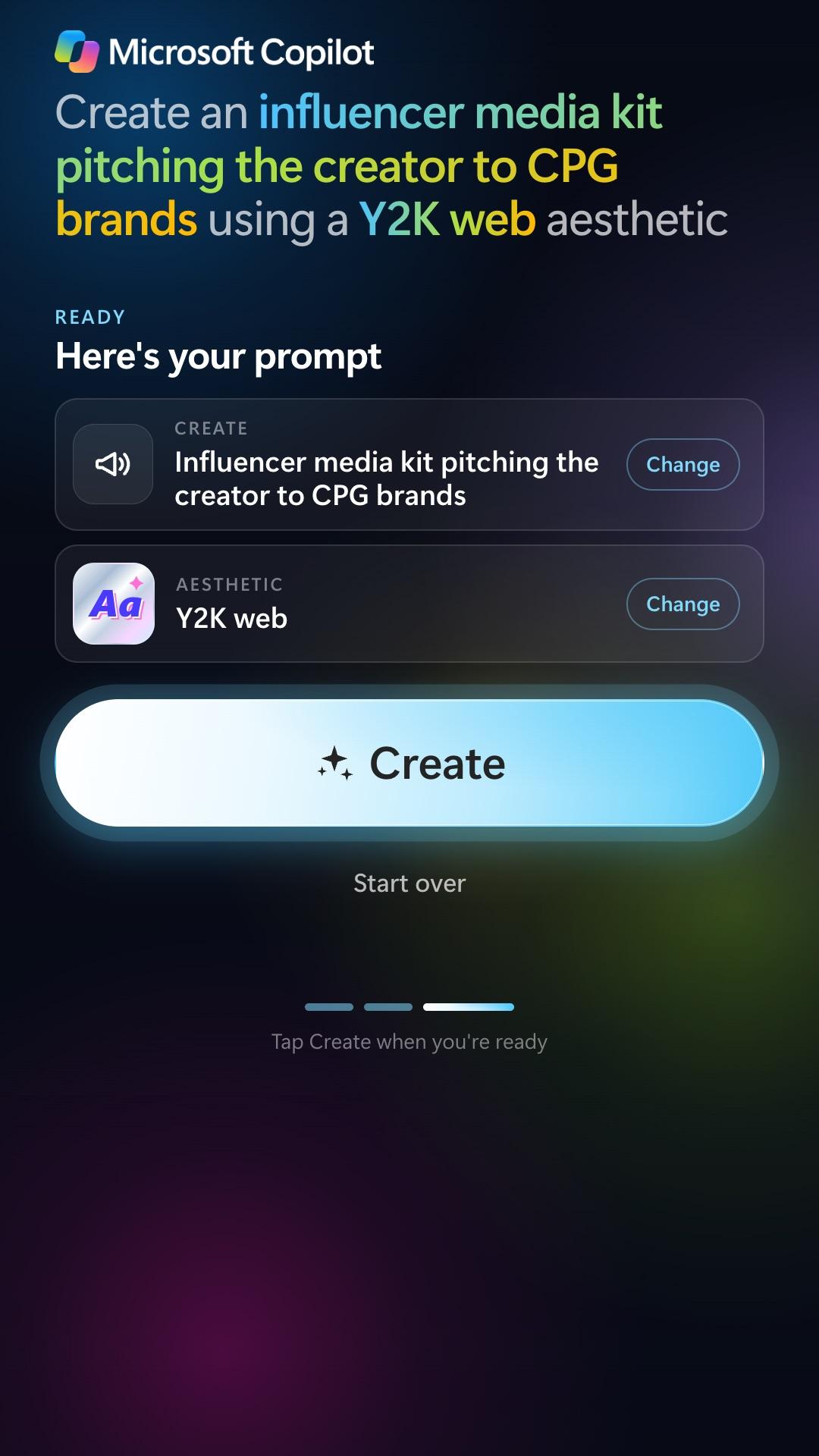
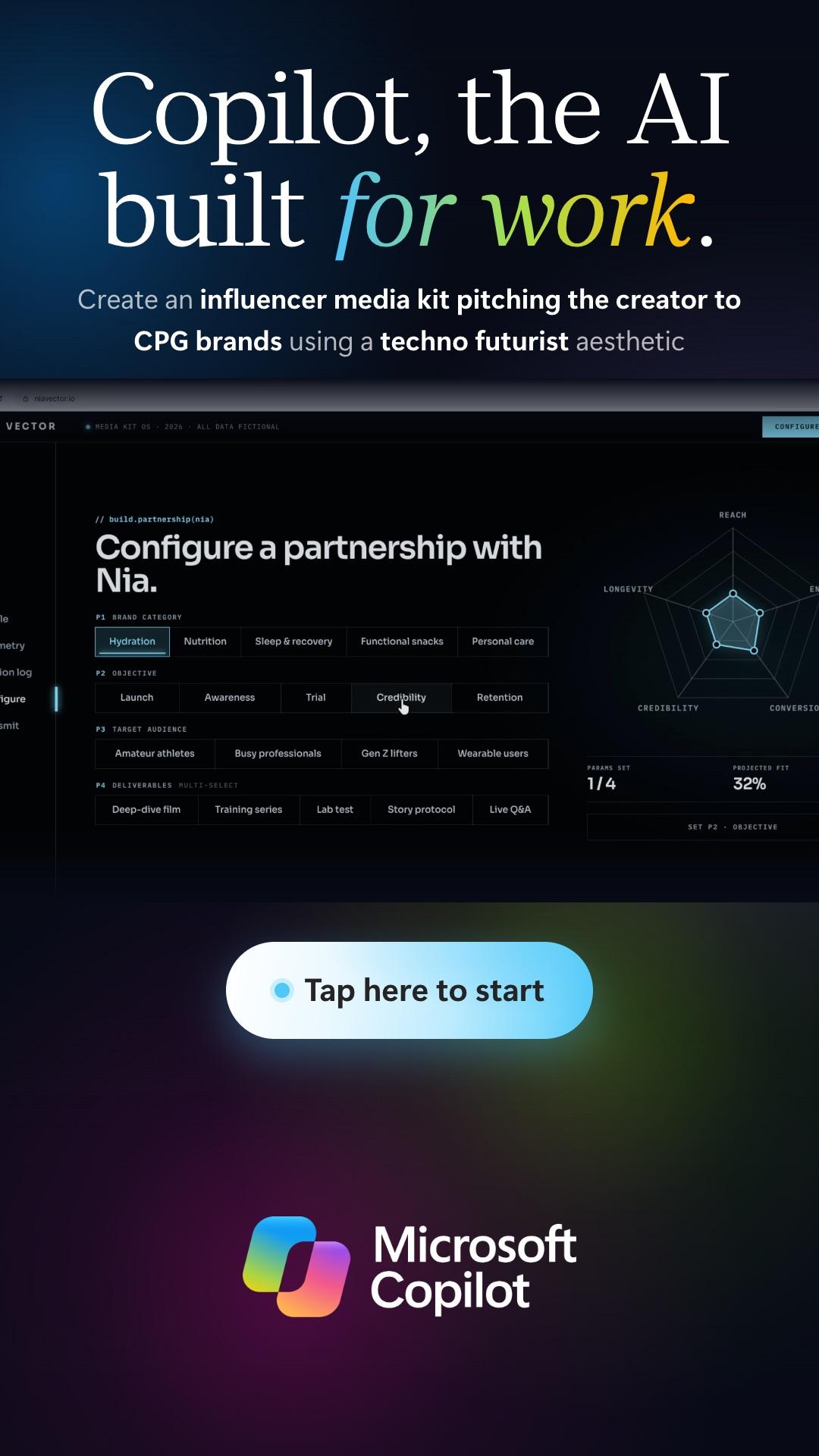
They review the prompt, tap Create, and a short "Creating your design" screen leads into a 15-second walkthrough of a finished, working site for that exact pairing. All 25 combinations have their own site and video, so no two choices land in the same place. The end card shows their prompt, a QR code to download the Copilot app, and Replay or Start over.
Every control sits in the middle band of the screen, between 18% and 66% of its height, and each question is its own step, so guests never reach for the top or crouch for the bottom.
25
Prompt + Look Combinations
10 sec
Median First Tap to Create
96%
Videos Watched to the End
Windows · Tyco Touch · Live Dashboard
Four Windows Kiosks We Could See From Anywhere
Each face runs its own Windows mini PC with our Electron app, locked down as a kiosk that restarts itself if anything closes it. When nobody is using a face, it returns to an attract loop that cycles through the finished sites.
Every tap goes to a live analytics dashboard, and every screen checks in every 15 seconds with a thumbnail of what it is showing, so we could see all four faces at once and reload, pause or restart any of them remotely. Our local, in-house developers built the app, the kiosk setup and the monitoring, with nothing outsourced.
Before the tower opened, we ran an automated burn-in that tapped through 4,709 full sessions across the PCs overnight without a single error, so the first real guest was nowhere near the first real test.
4,709
Test Sessions Before Doors
0
Errors in Burn-In
15 sec
Live Check-In per Screen
Microsoft
Two Days in Houston
Our developer was on site in Houston for both event days. The install brought real-world problems that we fixed on the spot. All four 98-inch TVs switching on together tripped the shared circuit until the power was split. Touch frames were swapped between faces and arrived reporting touches upside down, so we flipped each frame's axes in its own firmware and checked every face with a tap test.
When guests pressed and held buttons, or slid a finger while tapping, some presses lit up without advancing. We rebuilt how the app reads a touch, tested it with real injected touches on one face, then rolled it to the other three.
The evening of November 3 peaked at 37 designs created in a single hour. When the team asked for more time on each step, we raised the idle timeout from 15 to 30 seconds and slipped it onto each face only while it sat on its attract loop, so no guest was cut off mid-session. Guests created an estimated 200+ designs across the two days. Our analytics recorded 128 of them before the venue network dropped late on November 4, just ahead of the busiest evening of the event.
200+
Designs Created (Est.)
37
Designs in the Peak Recorded Hour
0
App Errors During the Event
PivotXP Custom Software
What This Shows
Big screens draw a crowd, but the hardware decides what is possible: a Windows-only touch frame, a screen taller than the guest, a brand book with firm rules. This build shows how we work inside those limits, writing the app around the hardware, testing it on the real screens until it holds up, and watching every screen live once doors open.
The same approach works for any product story a brand wants guests to touch, on any size of screen. You can try the kiosk app itself at pivotxp.com/copilot-kiosk-demo.
Built With
Want this at your event?
Touchscreen Demo Kiosks
Custom product explorers with analytics on every tap and content you can swap yourself.
See Touchscreen Demo Kiosks →
Custom Event Software
Software written for the brief, tested on the real hardware and run on site by the people who wrote it.
See Custom Event Software →
Custom Builds
Kiosks, sensor games, leaderboards and footprints built by our local, in-house developers.
See Custom Builds →
FAQ
Questions about this build
Who built the Microsoft Copilot touchscreen tower at AfroTech in Houston?
PivotXP built the Microsoft Copilot touchscreen tower for AfroTech in Houston on November 3 and 4, 2026, working with agency Squeak E. Clean Studios. PivotXP's local, in-house developers wrote the Windows kiosk app, set up the four 98-inch portrait touchscreens and ran the screens on site and remotely.
How did the Microsoft Copilot kiosk work?
Guests filled in a Mad Libs prompt in two taps: what Copilot should create, from five work tasks, and which of five looks to use. After they tapped Create, the screen played a 15-second walkthrough of a finished site for that exact combination, then showed a QR code to download the Copilot app. Every control sat in the middle band of the 98-inch screen so guests never reached high or low.
What were the results of the Microsoft Copilot tower at AfroTech?
Guests created an estimated 200+ designs over the two days and played all 25 prompt and look combinations. Analytics recorded 128 designs before the venue network dropped late on November 4. Guests watched 96% of the videos to the end, the median time from first tap to Create was 10 seconds, and the four screens ran with zero app errors.
Can PivotXP build a touchscreen demo kiosk for a brand?
Yes. PivotXP builds custom touchscreen kiosk apps on the client's own hardware, including large-format portrait screens and Windows-only touch frames, styled to the client's brand guidelines. Every screen reports to a live dashboard, so the team can watch and fix the kiosks remotely, and proven builds go live in days.
Gallery
See It in Action
13 photos
More Stories
Explore More

Ready to create your next experience?
From concept to execution, PivotXP builds experiences that move people.