A Starlink rental kit arrives preconfigured: dish, tripod, power supply, printed Wi-Fi details, a field guide, and a return label. There is no account to sign into and nothing to configure. What decides whether it is online in ten minutes is the site. Run through this list before the kit ships and setup day is boring, which is the goal.
1. A spot with open sky
The dish needs a clear view of the sky, ideally the widest one on the property. Lawns, patios, rooftops, parking lots, and the edge of a field all work. Under a tent, under a tree line, or against a tall building on the wrong side does not. Stand where you plan to put it, look up, and if you can see more sky than obstruction you are fine. If you are not sure, send us a photo from that spot; we will tell you.
2. Firm, level ground and something to weigh it down
The tripod spreads low and wide. Two or three sandbags, one per leg, keep a gust from tipping the dish and breaking the connection. Bring them; the kit does not ship with sand.
3. Power within reach
One weather-protected 120V outlet. The Starlink Mini draws about 40 watts, so a small generator or a portable power station runs it all day at a tailgate or a field with no outlet. Plan the cable run from the outlet to the tripod before the tent goes up, not after.
4. The cable run back inside
The dish sits outside; the devices usually sit inside. The included cable run reaches from a patio or a window back to where the kiosks, the stream laptop, or the registration tablets live. Measure that distance. If it is a second building or the far side of a lawn, that is a coverage add-on or a second kit, and it is a line on the quote rather than a surprise on the day.
5. A phone with the free Starlink app
The app's alignment tool is how you point the dish; you tilt and rotate until the indicator sits in the target, then tighten the mount. It works without an account. Download it before you are standing in a parking lot with one bar of signal.
6. Ten minutes of boot time you did not schedule
Plug in, then give the unit five to ten minutes to find satellites before you judge it. The most common support call we get in the first hour is a dish that was working fine and simply had not finished booting. Set it up before the crew needs it, not when they are asking for it.
7. A data plan that matches the job
The kit includes 50 GB of priority data per week. A full game streamed in HD is roughly 3 to 5 GB; a day of registration, photo delivery, and phones is far less. If you are running a multi-day broadcast or a 24/7 feed, tell us and we add blocks up front. You can also add them mid-event if the program runs long.
8. Who is holding the phone
One person on site owns the kit: they set it up, they know where the field guide is, and they have our support line. Our team can see the unit remotely, and most fixes are a re-aim, a cable, or a power cycle. When the one person is named before the event, those fixes take minutes.
What makes it fail
- A dish set up under the tent because it was raining. Move it out; the dish is weatherproof, the sky view is not optional.
- Trees directly overhead. Dropouts every time a satellite passes behind a branch.
- A generator that got borrowed for the coffee station.
- A tripod with no sandbags on a windy afternoon.
- Judging the connection two minutes after plugging in.
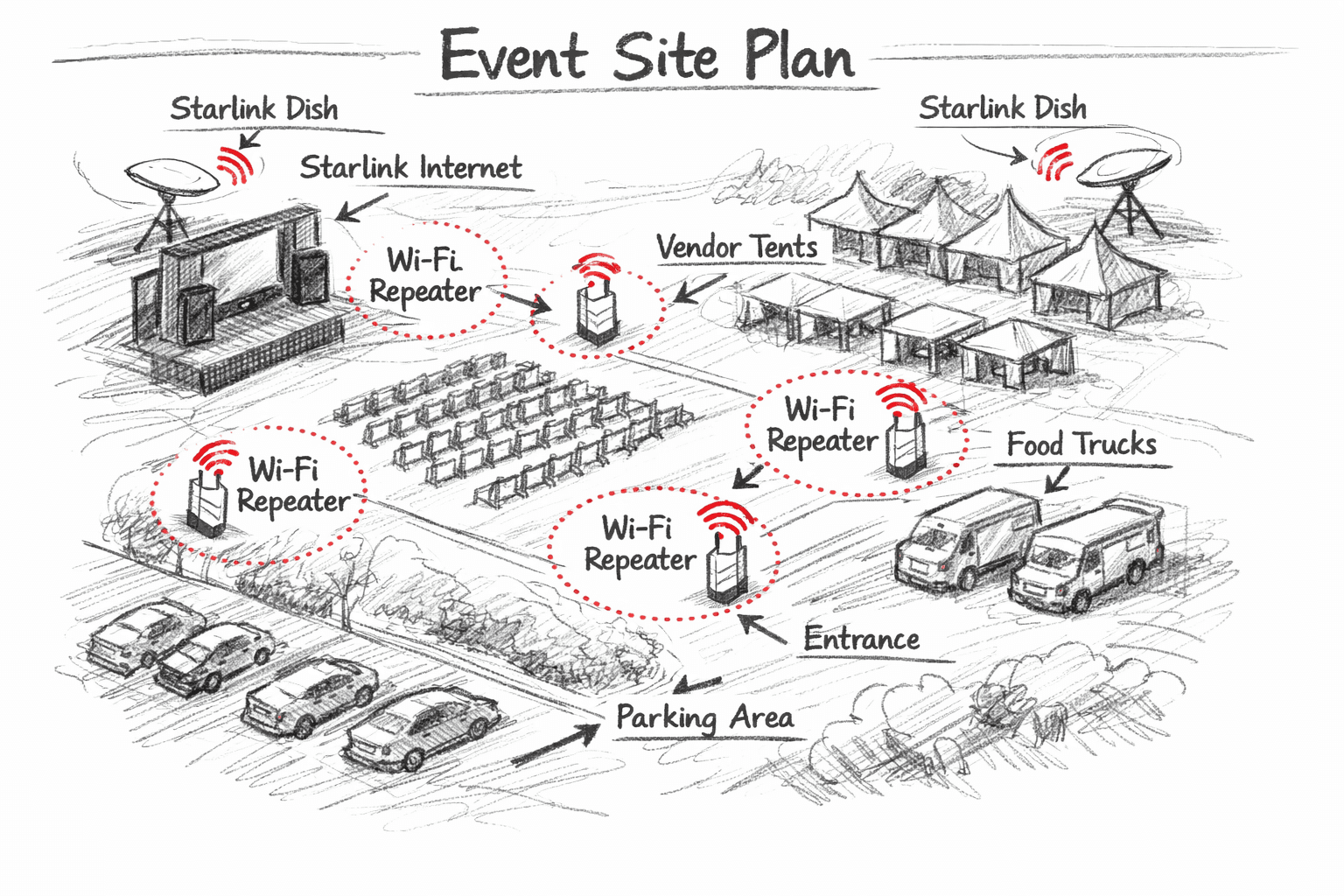
Send the date, the address, and a couple of photos of where the dish and the devices will go. We will mark the placement on your site plan, size the data, and ship the kit so it arrives before you need it.